Get Pixor
$19.99 $13.99$19.99, once. No subscription, no account, no paid upgrades, ever.
$19.99 $13.99$19.99 on itch.io, for Windows and Linux.
Launch week: −30% until 11 October. Every update after that stays free, as always.
Buy on itch.io Try it free firstWhat you buy
A desktop app that takes a 3D model through four steps to animated pixel-art sprite sheets. Every step is a panel you can see and a graph you can change; these are pictures of the real app.
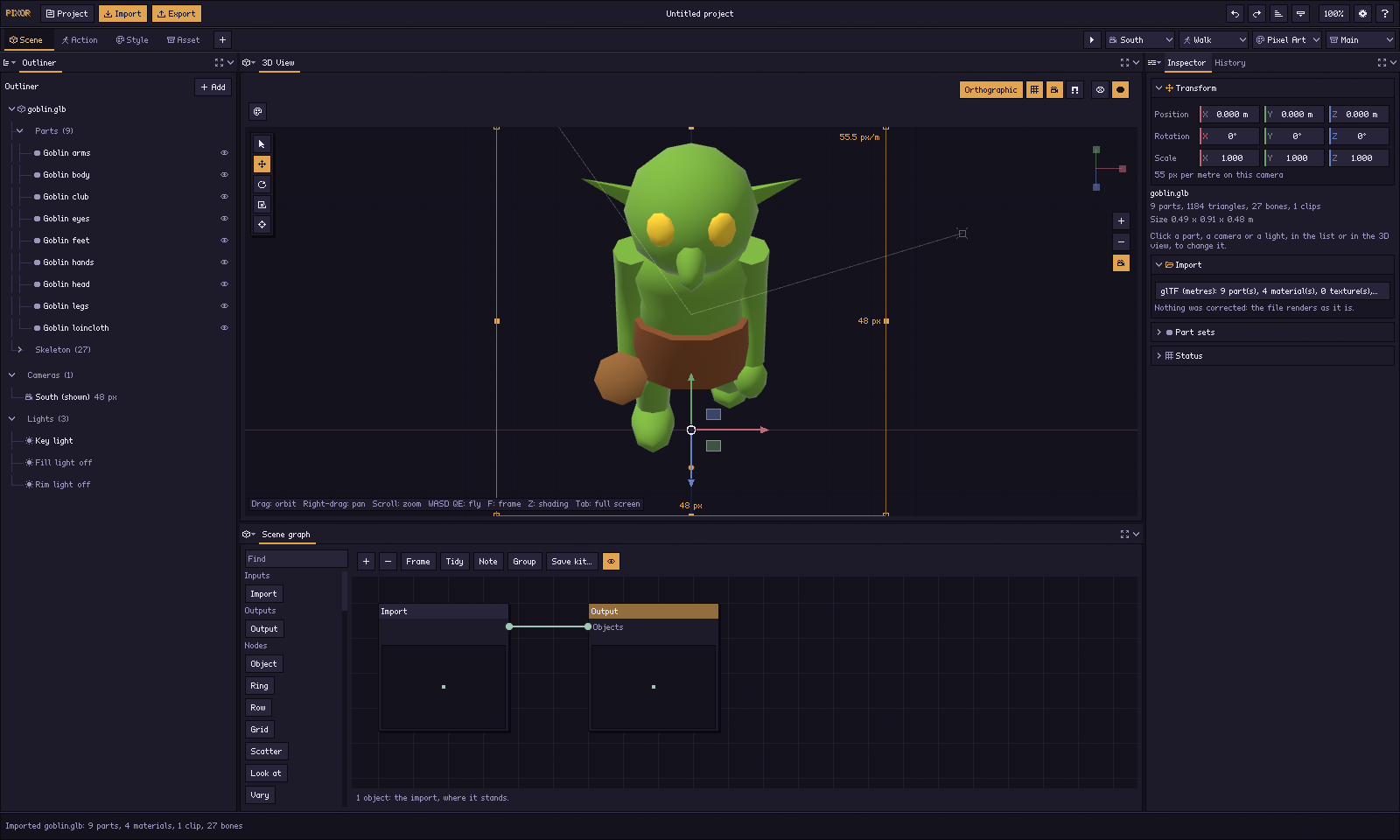 1. SceneImport the model; a camera for every side, one pixel scale.
 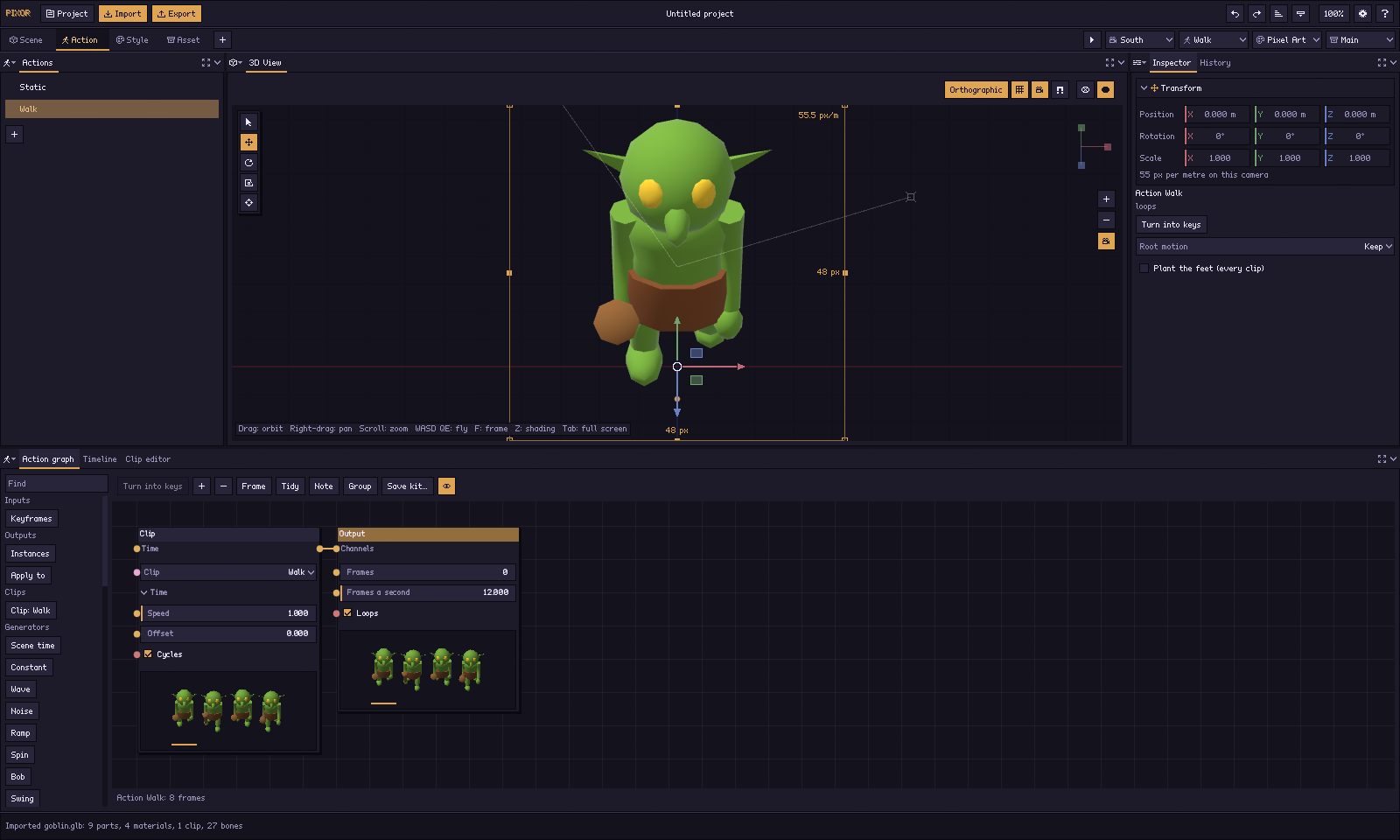 2. ActionChoose the animations, or add a spin, bob or swing.
 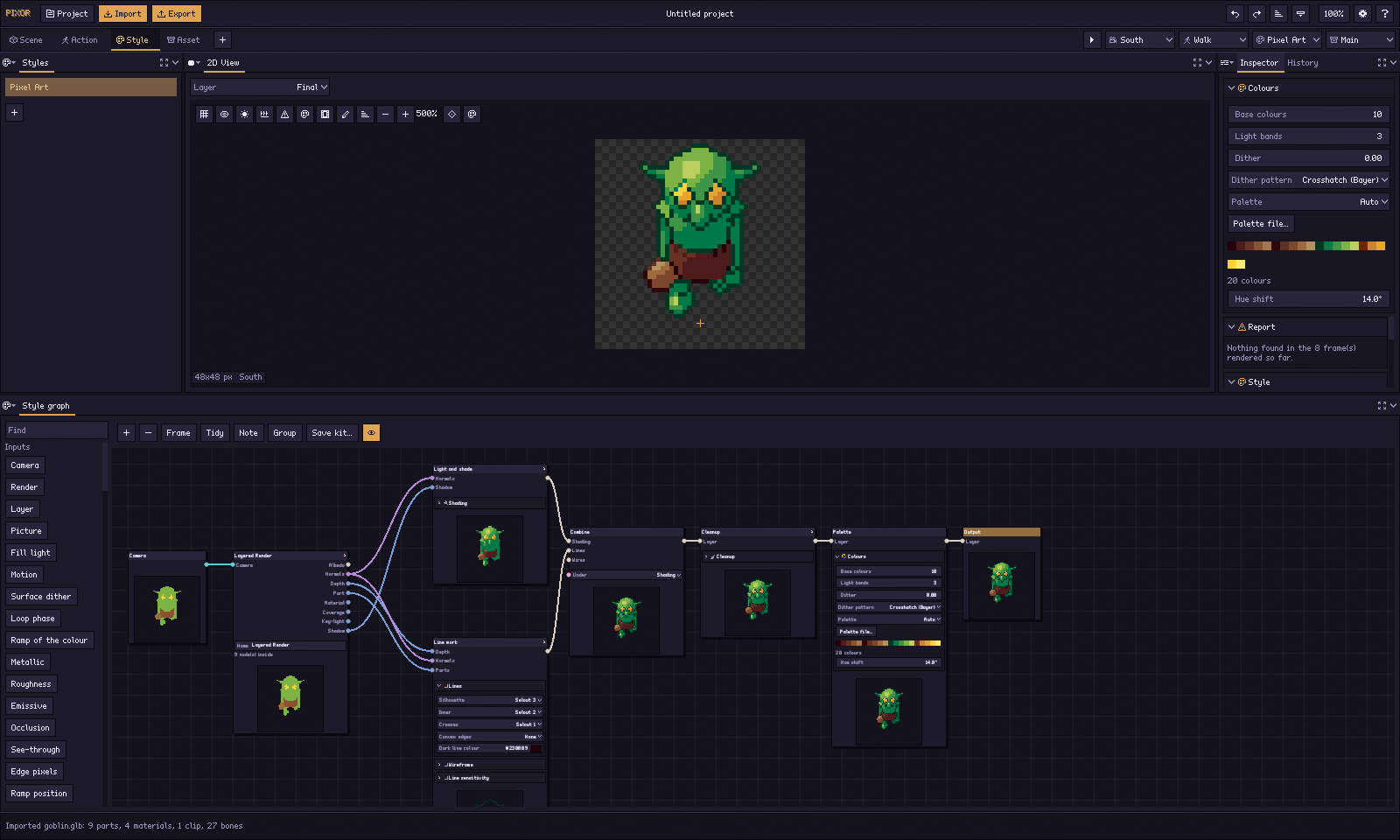 3. StyleChoose the look: bands, outlines, palette, as a node graph.
 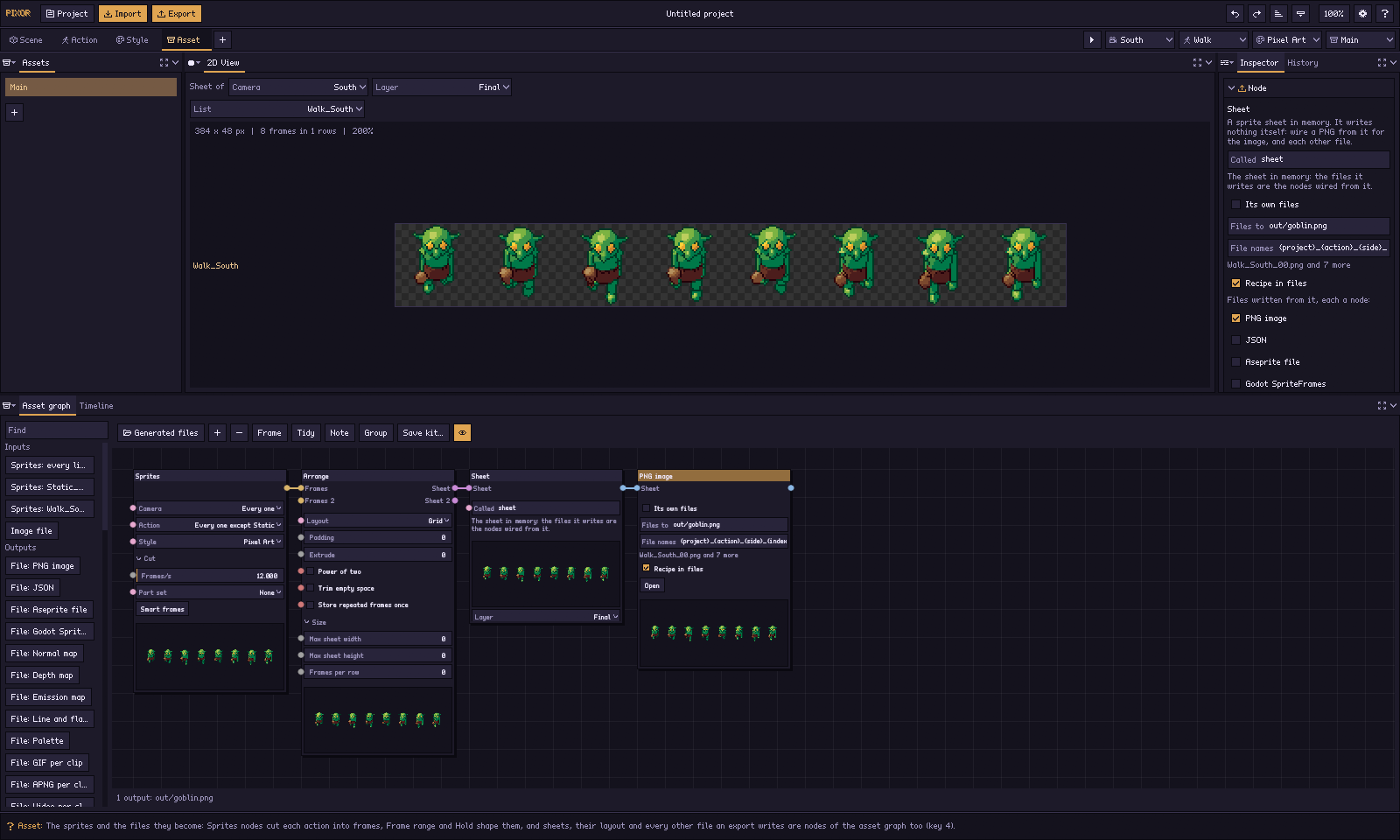 4. AssetSheets and files: PNG, JSON, Aseprite, Godot, GIF…
 Then Export writes every file into a folder, exactly as pxr render does from a script. The full tour, step by step →
What comes out

Every frame, from every side, in the look you chose. All from the free library; open any of them in the free browser demo to try the steps yourself. The demo keeps to the default look and the PNG sheet; the full version opens every graph, look and format.
The four promises
Pay once
One payment, no subscription. Every future update is free, forever, with no paid upgrades, and every past version stays downloadable, so the version your project relies on never disappears. Install Pixor on every computer you use: your desktop, your laptop, the one at the studio. The licence is per person, so a friend or a colleague needs their own.
No AI inside
Pixor contains no generative AI and no machine learning. It renders your 3D model with steps you can see and change: cameras, lights, light bands, outlines, palettes, every one a node. Nothing is invented and nothing is trained on anyone’s art. How Pixor makes the pixels.
Deterministic, for artists
The same model with the same settings gives the same pixels, every time. Fix the rig, render again, and only what you changed moves, so the frames you touched up in Aseprite stay valid. Your settings are a project file you keep, and the command line re-runs it on the next model.
Offline, no account
Pixor never connects to the internet: no sign-in, no licence server, no update check, no analytics. It works on a plane, and it will still work in ten years. Check it with your firewall.
What else you get
- A free Steam key when Pixor comes to Steam in late 2026, for everyone who bought it on itch.io.
- Everything you make is yours: use and sell your sprites anywhere, no royalty, no credit needed.
- 1,000+ free models in the online library, CC0: Open in Pixor on a model's page brings it into the app.
- The manual, online, free to read before you buy.
Questions
What do I get?
Pixor 2.0 for Windows and Linux, every future update, and every past version, from your itch.io download page.
Will I have to pay again for Pixor 3?
No. Every future update is free, major versions included. There are no paid upgrades, ever.
How many computers can I install it on?
Every computer you use yourself. The licence is for one person: someone else who uses Pixor needs their own copy.
What about Steam?
Pixor comes to Steam in late 2026. Everyone who bought it on itch.io gets a free Steam key then.
Can I sell what I make?
Yes. Sprites, sheets, animations and every other export are yours, to use and sell in games, asset packs and client work, with no royalty and no credit needed.
Will Windows warn me?
Once. Windows shows “Windows protected your PC” the first time, because Pixor isn’t code-signed yet: click More info, then Run anyway.
Is macOS supported?
Not yet: Pixor 2.0 runs on Windows and Linux. macOS is planned for early 2027, as a free update for everyone who bought Pixor.
More in the FAQ. Pixor is made by Frakassets; Pixor’s code is written with AI assistance, which the itch.io page discloses. Nothing in Pixor generates content.