3D to pixel art, animated
Pixor turns your 3D models into pixel-art sprite sheets. Walk cycles, attacks, idles, a chest that opens, fire, smoke and water from your simulations: Pixor renders your models and their animations into clean, consistent pixel-art animation, every frame, from every side. Model and animate in Blender, render in Pixor, touch up in Aseprite, ship.
Windows and Linux · no account · deterministic · 1,000+ free models to start with
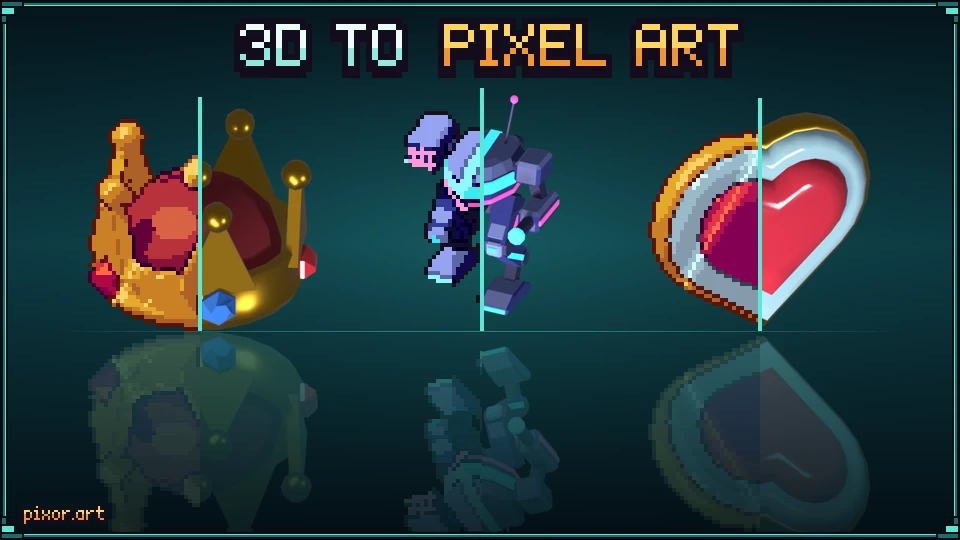
Animated, from every side
Your animations come out animated: every frame of every clip, in every direction your game needs, 4, 8 or 16, with the same pixel size, the same pivot and the same palette throughout. These are all from the free library.
Fire, smoke, water and magic
Simulate it in Blender, EmberGen or Houdini, and Pixor turns the .vdb files into a looping pixel-art effect, on the same palette as your sprites, with a closed loop and a glow layer. No simulation tool? Pixor has its own: flames, smoke, explosions, portals, spells, rain and snow.
Every layer your game needs, from one render
Next to the sprite sheet, Pixor writes the same frames as normals, depth, flat colours, lines and emission, cell for cell. Your engine lights the sprite from its normals, sorts and fogs it by depth, recolours its flat colours, tints its outline and blooms only what glows. With the light kit, in-game light keeps every pixel on the sprite's own palette.

- Final spriteThe sheet itself, on its palette.
- Flat coloursRecolour, tint or flash on hit.
- LinesThicken, tint or hide the outline: a selection glow.
- Normals2D lights in Godot, Unity and GameMaker.
- DepthSorting, fog, water lines and soft shadows.
- ShadowIts shadow on a layer of its own: soften or fade it.
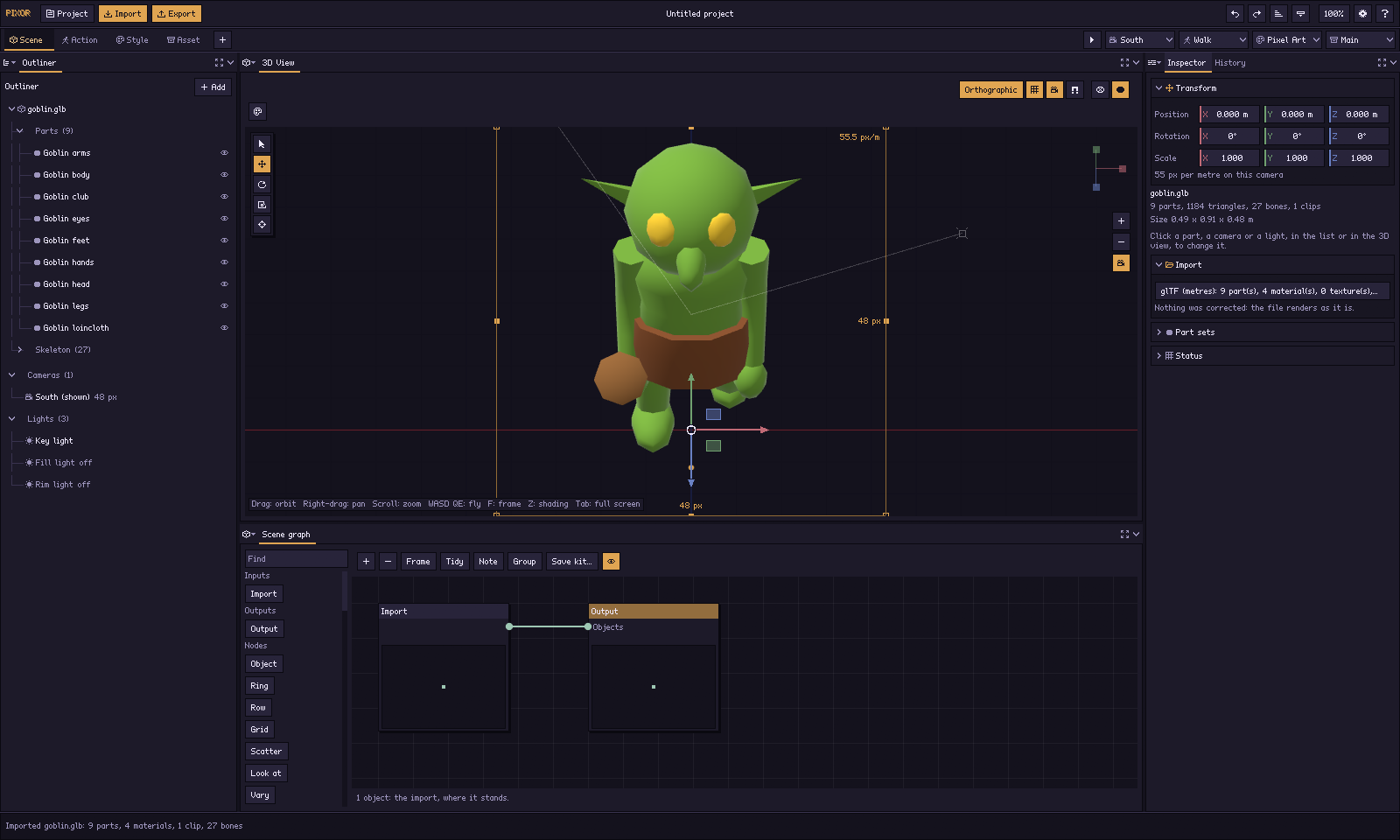
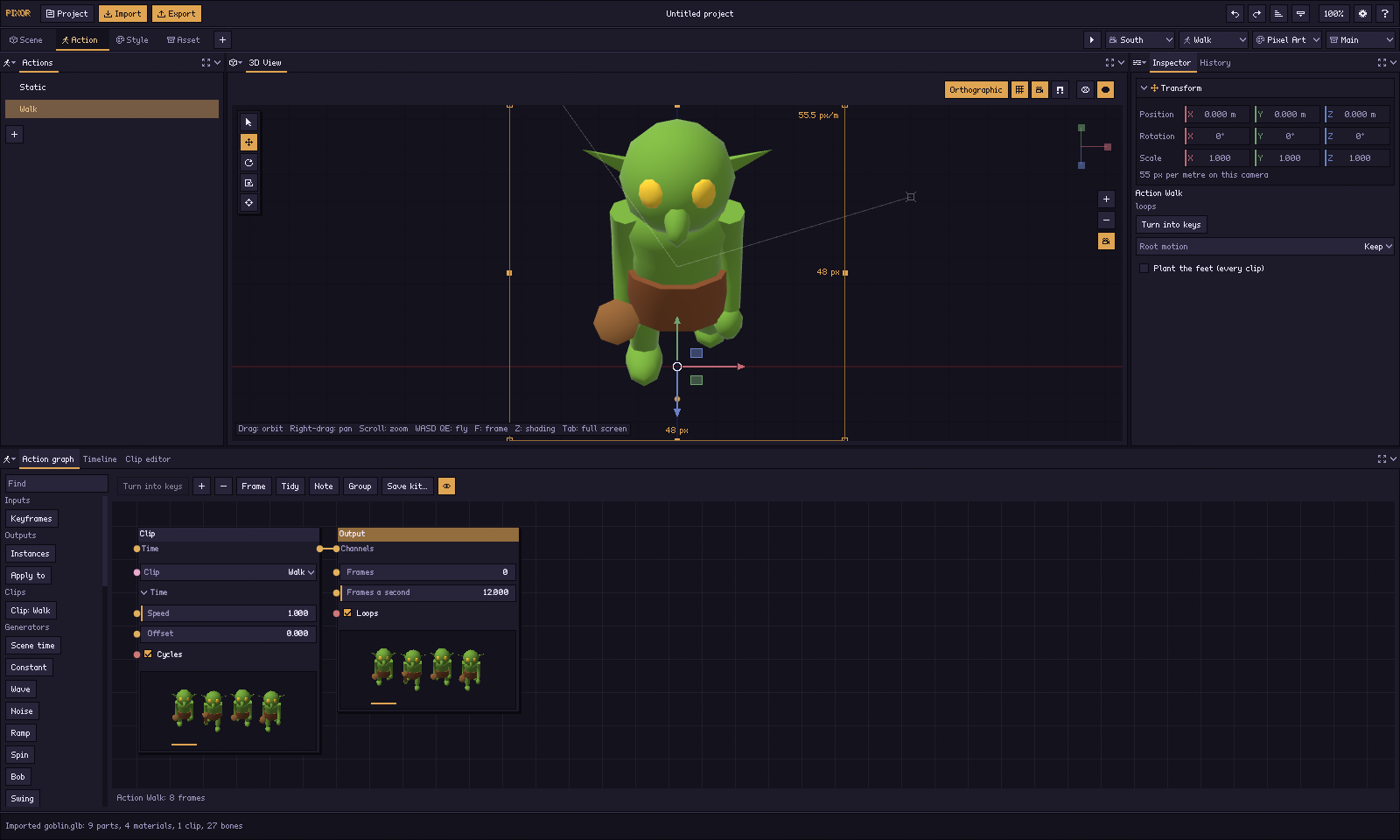
Four steps, all of them nodes
A first sprite goes through the four steps in order. After that, every step is a graph you can change and re-run: nothing is hidden behind a wizard.
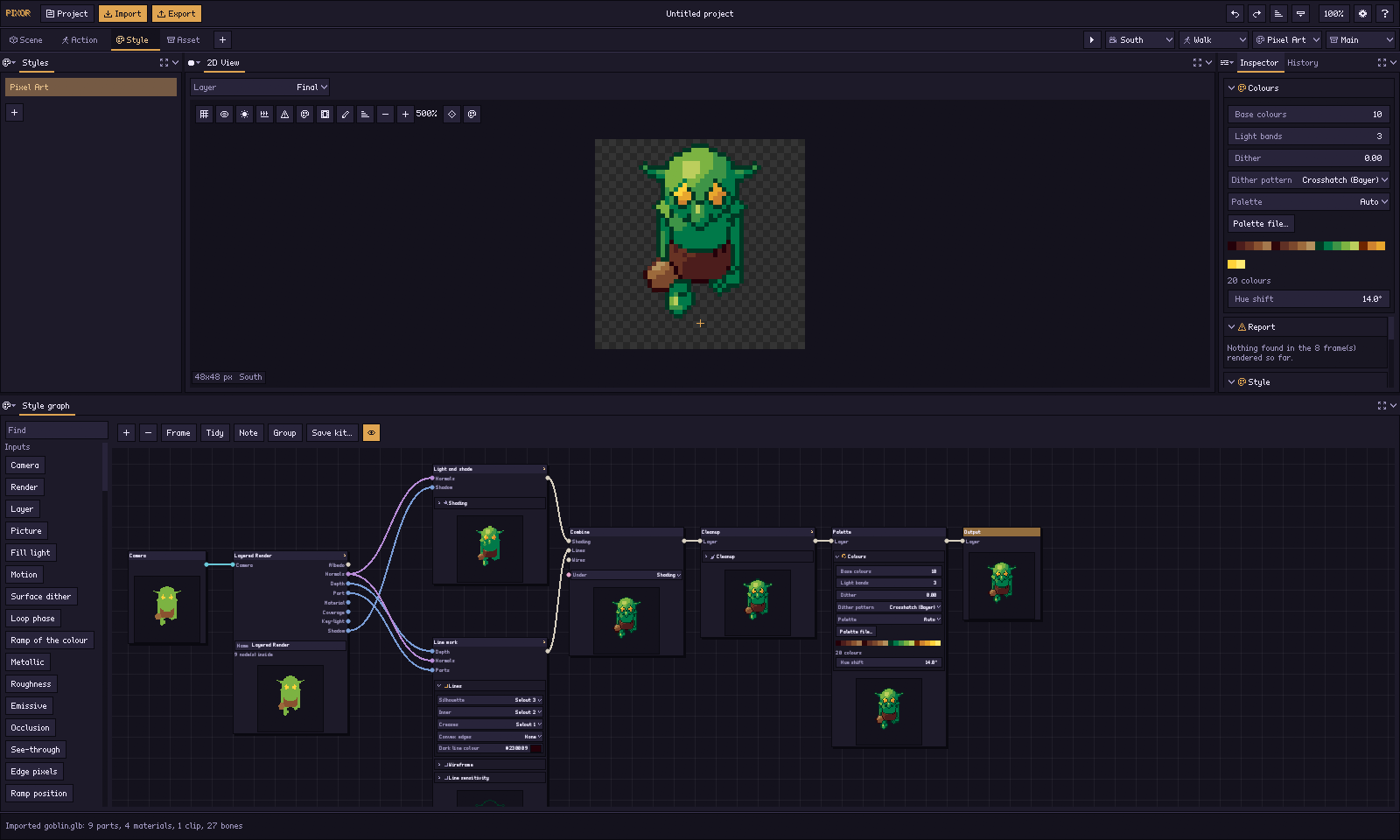
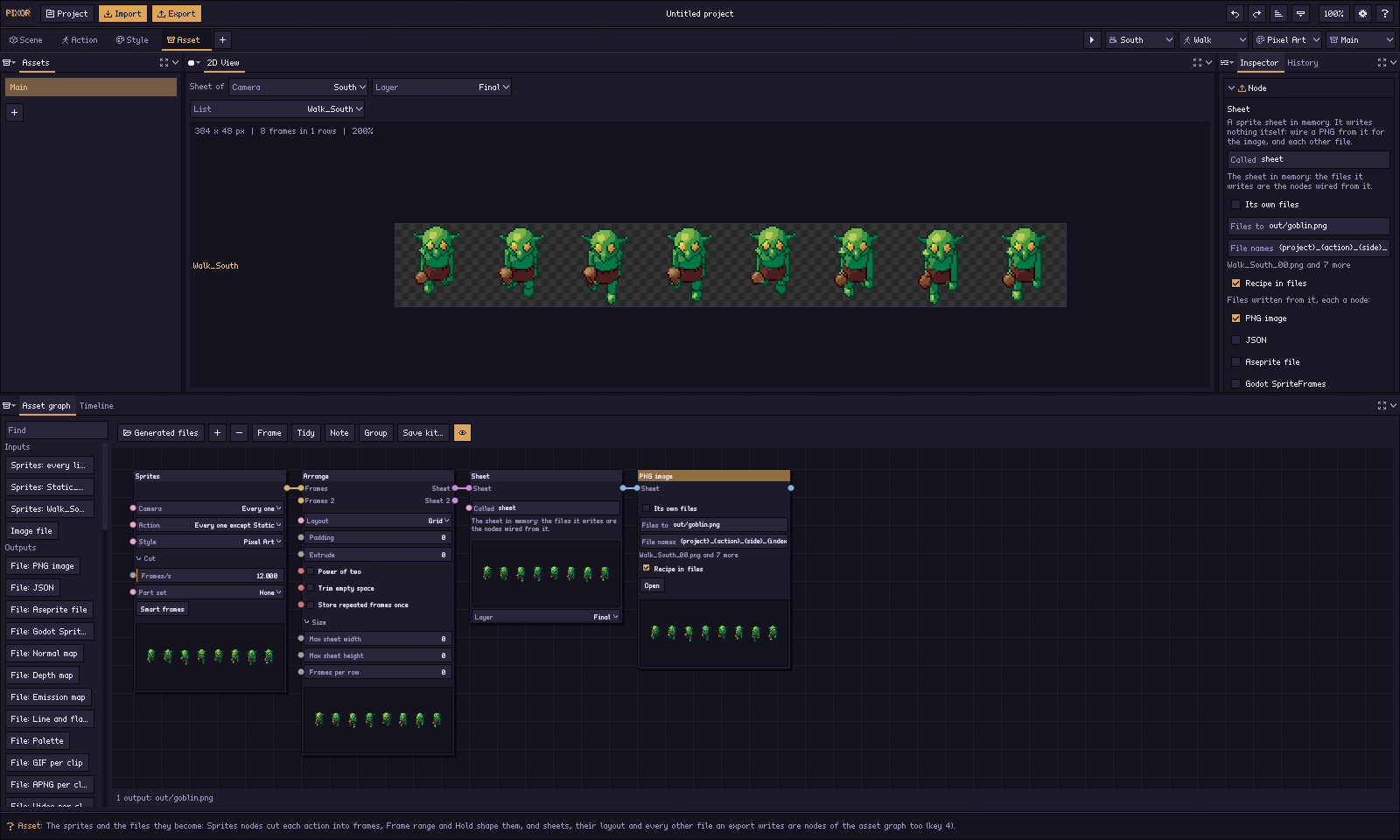
One model, any look
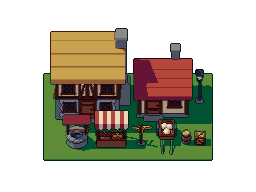
A look is a Style graph. Start from a preset, change any node, save it as a kit and use it on the next model, so a whole game’s sprites match.
Made for the pipeline you already have
Blender → model and animate as you always do; export a glTF and open it in Pixor.
Pixor → render every side and frame, with one pixel scale for the whole game and a pivot that never moves.
Aseprite → open the .aseprite file with its tags and helper layers, and touch up by hand.
Your engine → Godot SpriteFrames, Unity, GameMaker, or a plain sheet with JSON.
When the model changes, render again: your settings are a project file, and the same project always gives the same pixels.
Blender · Godot · Unity · every format
Try it on your own model
Drop a .glb, .gltf, .obj or .vox file here, or choose one. It opens in the free browser demo, and it never leaves your computer.
Automate it: pxr, the command line
Everything the app does, the command line does too, from the same project files, with the same pixels. Set a look up once in the app, then let a script render every model, every side and every frame. It comes with Pixor, at no extra cost.
# a whole asset pack, in one look
$ pxr batch models/ -o sprites/ --style game.pixorkit

# the sheet follows the model as you save in Blender
$ pxr watch hero.pixor

# what changed between two builds, and why
$ pxr diff build-41/ build-42/
For indie devs
- A whole pack at once:
pxr batchrenders every model in a folder, and reports the ones that fail instead of stopping. - Live while you model:
pxr watchexports again each time the model, the project or the palette changes. - The same look on every new model: save a project as a blueprint, then
pxr runit on the next character.
For studios
- In your build: sprites render from the project files on every build machine, in CI, with no one exporting by hand.
- Review sprites like code: the same project always gives the same pixels, so
pxr diffshows exactly which files changed, and which setting changed them. - Art direction, checked:
pxr auditconfirms every sheet uses the same palette, scale, light and lines. - For your tools: JSON output for every command, and a render cache that skips what has not changed.
$19.99 $13.99$19.99. Once.
- Every future update is free, forever. No paid upgrades, no subscription.
- Install it on every computer you use: Windows and Linux; macOS planned for early 2027, as a free update.
- Every version stays downloadable, so the one you rely on never disappears.
- A free Steam key when Pixor comes to Steam in late 2026, for everyone who bought it on itch.io.
- Everything you make is yours, to use and sell in your games and asset packs.
Is Pixor a subscription?
No. You pay $19.99 once and every future update is free, forever. Install it on every computer you use.
How does Pixor make its pixels?
Pixor’s shaders draw every one from your own 3D model. It renders your model with settings you can see and change, so nothing is invented and the result is the same every time.
Does it need an internet connection or an account?
No. Pixor never connects to the internet: no account, no licence server, no telemetry, no update check.
Can I try it first?
Yes, free in your browser: import a model, choose a camera and an action, and export a PNG sprite sheet. No sign-up.