Fountain free 3D model & sprite sheet
2D pixel art by Pixor, from the 3D model
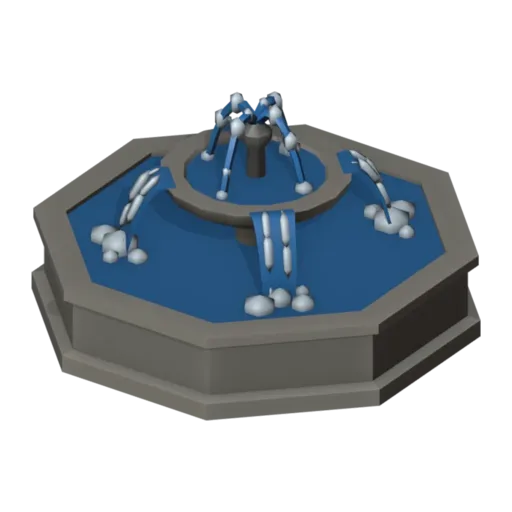
3D the model it was rendered from

GIFs to share
For a devlog, a post or a Discord message. CC0 like the rest: no credit needed.
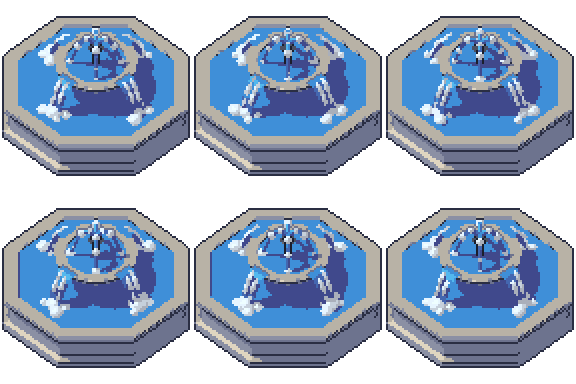
An octagonal stone basin with a pedestal bowl rising from its centre. Four jets arc from the finial into the upper bowl, which spills over its rim in four rippling sheets of water into foam below. The Flow clip loops over twelve frames at 96 pixels, from a three-quarter view.
The basins are tiered lathe shapes in two stone tones. The water sheets are lofted from the rim downwards, and white foam streaks and droplets travel down the jets and sheets by shape keys. Colour cycling keeps the water moving even between the larger shape changes.
Fountains give a town square or palace garden its centre. In RPGs and life sims they make good meeting points, quest markers or places to rest, and in city builders they are a natural decoration. Leave space around it for paths so the octagon reads clearly.
Change the Water material for a magic spring, or the stone for marble. The fountain pairs with the small and medium houses and the banner flag in a village plaza, and with the well, which offers a smaller, simpler water source.
Use it in your game
- Godot 4:
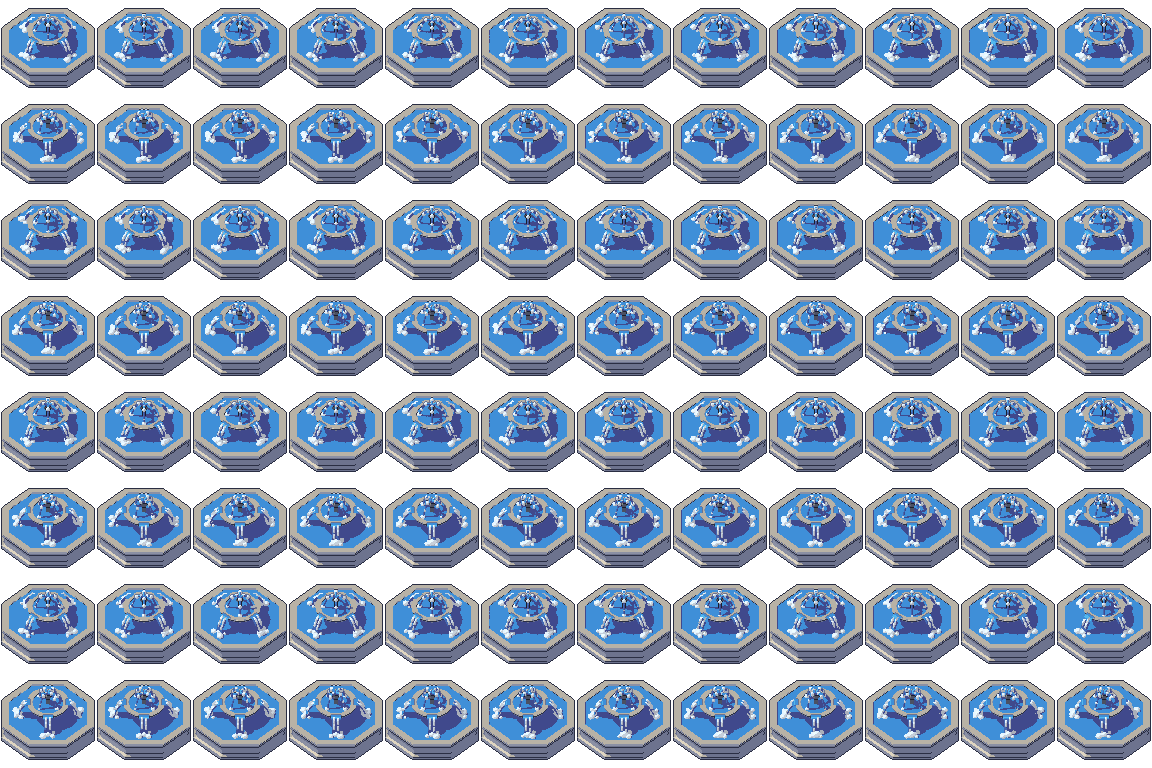
godot/fountain-selout-96.tresis aSpriteFramesresource with 8 animations (Flow_South, Flow_Southeast … Flow_Southwest): drop it on anAnimatedSprite2Dand playFlow_South. - Aseprite:
aseprite/fountain-selout-96.asepritehas a tag for each of those, 96 frames in all, to touch up by hand; its.jsonsits next to it. - Unity, GameMaker and the rest:
sprites/selout/fountain-96px-8-sides.pnghas 8 rows of 96×96 px cells, one per action and side, South (front) first. A 4-side sheet and the 32, 48 and 64 px sizes are next to it. - Posts and devlogs: the GIFs above, also in the zip’s
gifs/folder. - 3D: the GLB opens in Blender, Godot, Unity and three.js. The
.blendkeeps its modifiers, named parts and materials.
How this look was made
The sprite above is Pixor’s selective outline look. In Pixor every step of a look is a node you can change: the light bands, the outlines, the palette. This is that look’s Style graph:

- dither
- 0
- fill
- 0
- hysteresis
- 0.05
- min highlight
- 2
- rim
- none
- shadows
- on
- specular
- 0.96

- convex
- none
- crease
- selout1
- crease angle
- 55
- depth jump
- 2.5
- inner
- selout2
- min inner line
- 3
- outer
- selout3
- outer inside
- off
- part lines
- on



The other looks in the player (clean, retro, flat) are other Style graphs. With Pixor you can open this asset, change any node, and render your own.
Related free assets
 Small fountain Village · animated
  Geyser Elements & effects · animated
  Pond Elements & effects · animated
  Rain cloud Elements & effects · animated
  Water puddle Elements & effects · animated
  Waterfall Elements & effects · animated
  Acid pool Elements & effects · animated
  Bonfire Elements & effects · animated