Waterfall free 3D model & sprite sheet
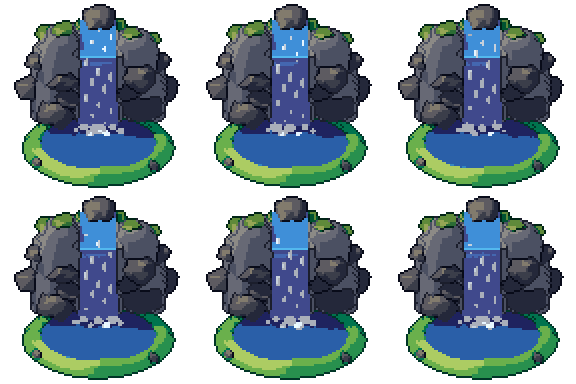
2D pixel art by Pixor, from the 3D model
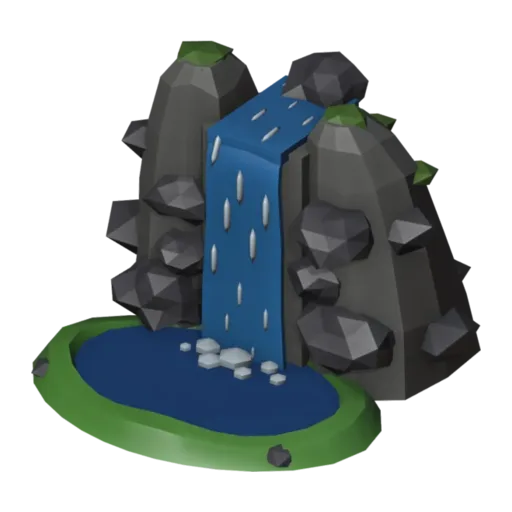
3D the model it was rendered from

GIFs to share
For a devlog, a post or a Discord message. CC0 like the rest: no credit needed.
A stream runs through a notch in a rocky cliff and falls in a rippling sheet into a pool at its foot, where foam churns. Moss and grass soften the stone. The Flow clip loops over twelve frames at 96 pixels, from a three-quarter view, as a complete scenic piece.
The rock masses are lofted shapes in dark and light stone. The falling water is a lofted sheet with ripple shape keys, foam streaks travel down with the flow by shape keys, and colour cycling runs through the water to keep the loop lively. Deep water fills the pool.
Waterfalls are landmarks in adventure and exploration games, hiding secret caves behind them, marking a river’s source or framing a rest spot. In side-view games they make striking background pieces; in top-down maps they mark the edge between two heights.
Change the Water and Deep water materials for a poisoned green stream or a lava fall in a fire level. Surround it with pine trees, the rock set and grass tufts for a mountain scene, or the blue crystal for a cavern.
Use it in your game
- Godot 4:
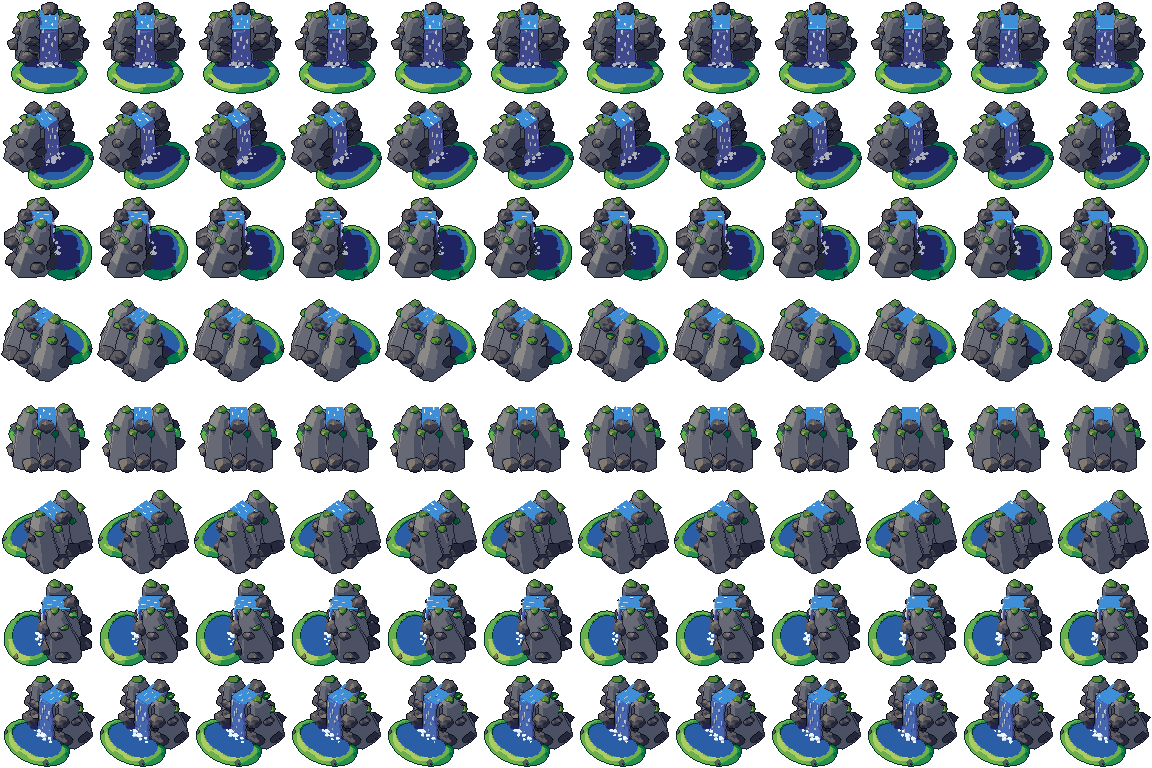
godot/waterfall-selout-96.tresis aSpriteFramesresource with 8 animations (Flow_South, Flow_Southeast … Flow_Southwest): drop it on anAnimatedSprite2Dand playFlow_South. - Aseprite:
aseprite/waterfall-selout-96.asepritehas a tag for each of those, 96 frames in all, to touch up by hand; its.jsonsits next to it. - Unity, GameMaker and the rest:
sprites/selout/waterfall-96px-8-sides.pnghas 8 rows of 96×96 px cells, one per action and side, South (front) first. A 4-side sheet and the 32, 48 and 64 px sizes are next to it. - Posts and devlogs: the GIFs above, also in the zip’s
gifs/folder. - 3D: the GLB opens in Blender, Godot, Unity and three.js. The
.blendkeeps its modifiers, named parts and materials.
How this look was made
The sprite above is Pixor’s selective outline look. In Pixor every step of a look is a node you can change: the light bands, the outlines, the palette. This is that look’s Style graph:

- dither
- 0
- fill
- 0
- hysteresis
- 0.05
- min highlight
- 2
- rim
- none
- shadows
- on
- specular
- 0.96

- convex
- none
- crease
- selout1
- crease angle
- 55
- depth jump
- 2.5
- inner
- selout2
- min inner line
- 3
- outer
- selout3
- outer inside
- off
- part lines
- on



The other looks in the player (clean, retro, flat) are other Style graphs. With Pixor you can open this asset, change any node, and render your own.
Related free assets
 Geyser Elements & effects · animated
  Pond Elements & effects · animated
  Fountain Elements & effects · animated
  Lavafall Elements & effects · animated
  Rain cloud Elements & effects · animated
  Water puddle Elements & effects · animated
  Acid pool Elements & effects · animated
  Bonfire Elements & effects · animated