Spaceship free 3D model & sprite sheet
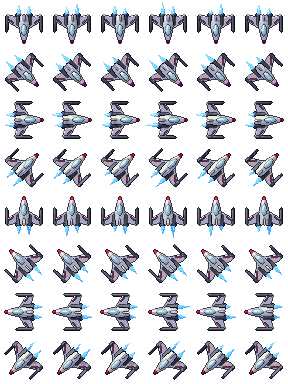
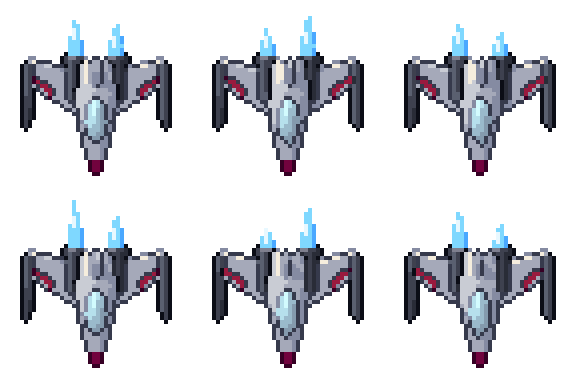
2D pixel art made with Pixor, from the 3D model
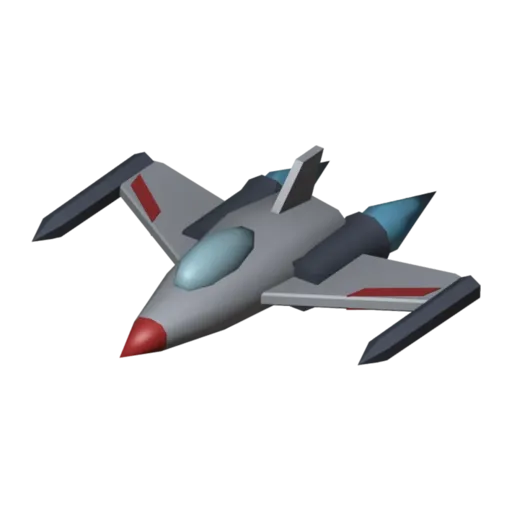
3D the model it was rendered from

GIFs to share
For a devlog, a post or a Discord message. CC0 like the rest: no credit needed.
A spaceship sprite for shoot ’em ups and top-down space games. It is a small fighter with a blue canopy, a red nose, swept wings with tall fins and two engines whose flames flicker. The Thrust clip loops over six frames at 48 pixels, seen from above, and the sheet has it from eight sides.
The hull is lofted from a few cross-sections, and the engine flames are a shape-key flipbook on a glowing material with a colour ramp, so the flicker is part of the model rather than a separate effect. It is centred like a pickup, so the sprite turns about the middle of the ship.
In a vertical shooter use the North row, nose up, for the player ship; in a twin-stick or top-down space game, pick the row closest to the ship’s heading among the eight sides. The selective-outline sheet also comes at 32 and 64 pixels, and in flat and four-colour retro looks.
Change the hull and glow materials in Blender for an enemy wing or a second player, then render your own sheets with Pixor at the size your game uses.
Use it in your game
- Godot 4:
godot/spaceship-selout-48.tresis aSpriteFramesresource with 8 animations (Thrust_South, Thrust_Southeast … Thrust_Southwest): drop it on anAnimatedSprite2Dand playThrust_South. - Aseprite:
aseprite/spaceship-selout-48.asepritehas a tag for each of those, 48 frames in all, to touch up by hand; its.jsonsits next to it. - Unity, GameMaker and the rest:
sprites/selout/spaceship-48px-8-sides.pnghas 8 rows of 48×48 px cells, one per action and side, South (front) first. A 4-side sheet and the 32 and 64 px sizes are next to it. - Posts and devlogs: the GIFs above, also in the zip’s
gifs/folder. - 3D: the GLB opens in Blender, Godot, Unity and three.js. The
.blendkeeps its modifiers, named parts and materials.
How this look was made
The sprite above is Pixor’s selective outline look. In Pixor every step of a look is a node you can change: the light bands, the outlines, the palette. This is that look’s Style graph:

- dither
- 0
- fill
- 0
- hysteresis
- 0.05
- min highlight
- 2
- rim
- none
- shadows
- on
- specular
- 0.96

- convex
- none
- crease
- selout1
- crease angle
- 55
- depth jump
- 2.5
- inner
- selout2
- min inner line
- 3
- outer
- selout3
- outer inside
- off
- part lines
- on


The other looks in the player (clean, retro, flat) are other Style graphs. These sprites were rendered from the 3D model with Pixor, 3D to pixel art in one app: with Pixor you can open this asset, change any node, and render your own.