Magic portal free 3D model & sprite sheet
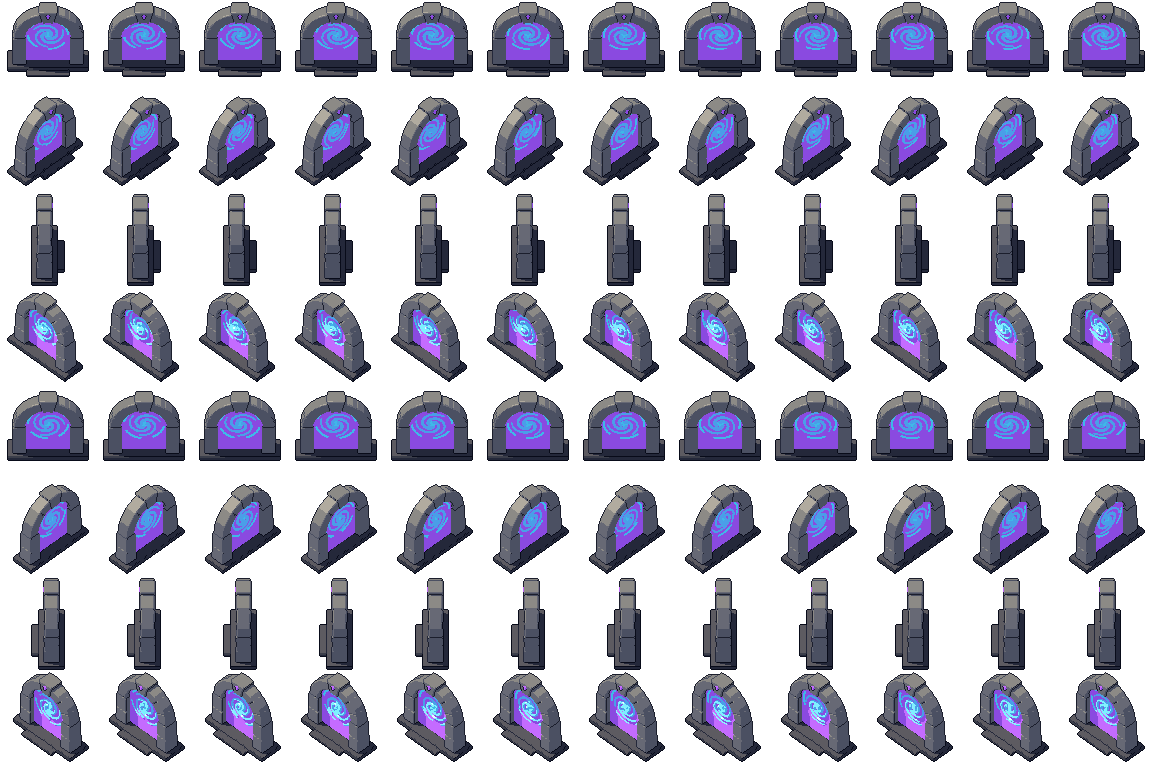
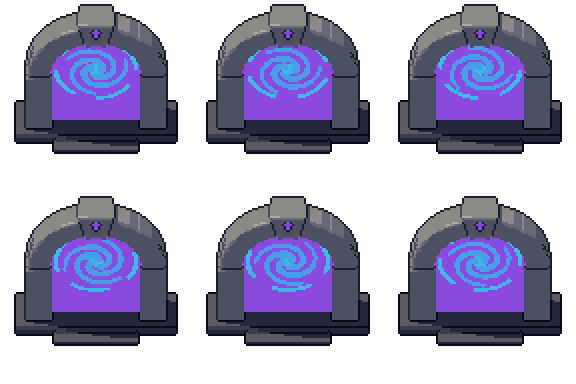
2D pixel art by Pixor, from the 3D model
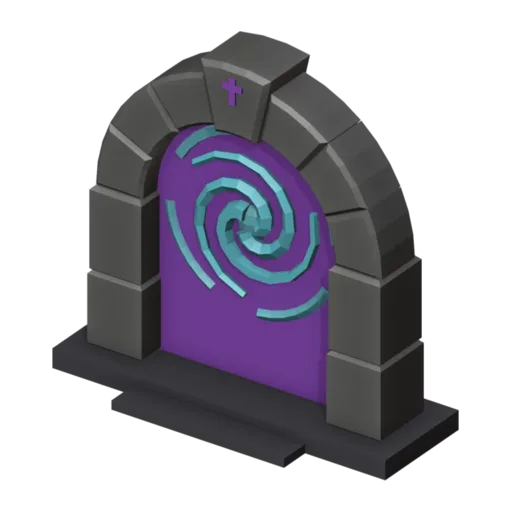
3D the model it was rendered from

GIFs to share
For a devlog, a post or a Discord message. CC0 like the rest: no credit needed.
A stone arch of bevelled blocks on a plinth, with a rune on its keystone, filled with a glowing veil. Three spiral arms and a broken ring swirl in front of it, turning in opposite directions. The Swirl clip loops over twelve frames at 96 pixels, from a three-quarter view.
The arch is built from bevelled prism blocks laid along a curve. The veil is a glowing plate, and the spirals are tubes on objects that rotate against each other with linear keys, so the loop has no easing and joins seamlessly. Colour cycling adds the shimmer you see in the sprite.
Portals mark level exits, fast-travel points, boss doors and summoning circles in RPGs, roguelikes and dungeon crawlers. Play the loop while the portal is active and hold a single frame when it is closed or waiting to be unlocked. At 96 pixels it is large enough for a character to step into.
Change the Magic glow and Arcane glow materials to red for a hellgate or green for a nature shrine. The portal fits with the blue crystal and magic staff in a mage’s tower, and with the dungeon door and wall torch at the end of a dungeon.
Use it in your game
- Godot 4:
godot/portal-selout-96.tresis aSpriteFramesresource with 8 animations (Swirl_South, Swirl_Southeast … Swirl_Southwest): drop it on anAnimatedSprite2Dand playSwirl_South. - Aseprite:
aseprite/portal-selout-96.asepritehas a tag for each of those, 96 frames in all, to touch up by hand; its.jsonsits next to it. - Unity, GameMaker and the rest:
sprites/selout/portal-96px-8-sides.pnghas 8 rows of 96×96 px cells, one per action and side, South (front) first. A 4-side sheet and the 32, 48 and 64 px sizes are next to it. - Posts and devlogs: the GIFs above, also in the zip’s
gifs/folder. - 3D: the GLB opens in Blender, Godot, Unity and three.js. The
.blendkeeps its modifiers, named parts and materials.
How this look was made
The sprite above is Pixor’s selective outline look. In Pixor every step of a look is a node you can change: the light bands, the outlines, the palette. This is that look’s Style graph:

- dither
- 0
- fill
- 0
- hysteresis
- 0.05
- min highlight
- 2
- rim
- none
- shadows
- on
- specular
- 0.96

- convex
- none
- crease
- selout1
- crease angle
- 55
- depth jump
- 2.5
- inner
- selout2
- min inner line
- 3
- outer
- selout3
- outer inside
- off
- part lines
- on



The other looks in the player (clean, retro, flat) are other Style graphs. With Pixor you can open this asset, change any node, and render your own.
Related free assets
 Teleport pad Crystals & magic · animated
  Blue crystal Crystals & magic · animated
  Book lectern Crystals & magic · animated
  Crystal pillar Crystals & magic · animated
  Floating crystal Crystals & magic · animated
  Ley stone Crystals & magic · animated
  Magic circle Crystals & magic · animated
  Magic mirror Crystals & magic · animated