Colour cycling
Colour cycling makes a still picture move by shifting colours along a row of palette entries. Water flows, lava glows and runes shimmer, without a single pixel being redrawn.
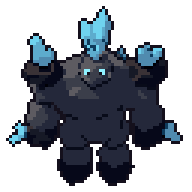
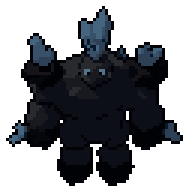

What it is
An indexed image does not store colours in its pixels. It stores numbers, and each number points into a palette. Change palette entry 12 from blue to light blue and every pixel that uses 12 changes at once.
Colour cycling uses that. Pick a run of palette entries, say six shades of water, and paint a waterfall with them in bands. Then, every few frames, rotate the run: entry 1 takes the colour of entry 2, entry 2 of entry 3, and the last wraps round to the first. The bands seem to travel down the waterfall, though nothing in the image has changed.
Where it came from
In the late 1980s and 1990s, games ran on hardware with palettes of 16 or 256 colours and little memory. Redrawing a large animated background every frame was expensive; changing a few palette entries was nearly free. Artists used it for rivers, fire, flickering torches, glowing magic, conveyor belts and even whole scenes moving from day to night.
What it suits
- Flowing things. Water, waterfalls, lava, rivers of slime, conveyor belts.
- Glowing things. Runes, crystals, portals, magic circles, power cables.
- Lights. Torches, signs and screens that pulse or flicker.
- Large areas. A whole lake animated for the cost of a few colours.
It suits motion along a path, not shape changes. A lava pool can flow; it cannot grow a bubble that bursts. Many games mix the two: a cycled surface and a few drawn frames on top.
How to set it up by hand
- Choose the colours that will cycle. They must be used by nothing else in the image, or that will cycle too.
- Order them as a ramp, so neighbouring entries look related.
- Paint the surface in bands, stepping through the run in the direction of motion.
- Rotate the run at a steady rate. Slow for still water, faster for a rushing fall.
- Check that the cycle loops without a visible jump where it wraps.
Common mistakes
- Shared colours. A shade that the hero’s boots also use will flash when the water cycles.
- Too few entries. Two or three colours read as blinking, not flowing. Five or more give motion.
- Even bands. Bands of equal width look mechanical. Vary them a little.
How Pixor does it
In Pixor, a material’s shades can be set to cycle, and the Colour cycle action turns them round one step per frame, so water, lava, runes or a screen flow in the sheet itself. For cycling at run time instead, the JSON export lists each cycling material and its palette indices in cycle order, and Pixor writes the sheet as palette indices too, so an engine can rotate those entries each tick rather than store more frames. As in any palette cycling, other materials that share the same shades cycle with them, so give a cycling material colours of its own. See palettes and exports.
Related
- Palette ramps: the runs of colour that cycle
- Limited palettes: working with few colours
- Hue shifting: making a ramp look alive
Questions
Do modern engines support colour cycling?
Not out of the box, but it is easy to add. Draw the sprite as indexed colours and swap the palette in a shader, or shift a small palette texture each frame.
Can I use colour cycling without a shader?
Yes. Bake the cycle into ordinary frames and play them as an animation. You lose the tiny file size but keep the look.