Palette ramps
A ramp is the short run of colours, dark to light, that shades one material. Good ramps are the backbone of a pixel-art palette.
What it is
In pixel art you rarely choose colours one at a time. You choose ramps: a skin ramp, a metal ramp, a cloth ramp. Each runs from the darkest shadow to the brightest highlight, in a few steps. The whole palette is then a handful of ramps, often sharing colours at the ends.
A typical sprite ramp has three to five colours:
- a deep shadow, often also used for lines,
- a shadow,
- the base colour,
- a light,
- sometimes a highlight for shiny spots.
Why artists do it
- Readable shapes. Few, clearly separated steps make light and shadow easy to see at small sizes.
- Consistency. If every metal object uses the metal ramp, the game looks like one world.
- Fewer colours. Limited palettes look intentional and suit old hardware limits and indexed images.
- Faster work. With ramps fixed, shading becomes choosing a step, not mixing a colour.
Common mistakes
- Steps too close together. If two colours in a ramp are nearly the same, the eye cannot see the step, and you have wasted a colour.
- Only changing brightness. Ramps that only darken look grey. Hue shifting fixes this.
- Too many ramps. A separate ramp for every object makes the palette large and the scene noisy.
- Pure black and white. These are often too harsh. A very dark blue or a pale cream usually sits better.
How to build one by hand
- Choose the base colour of the material.
- Add one or two darker steps, shifting hue towards your shadow colour.
- Add one lighter step, shifting towards your light colour.
- Check the steps are evenly spaced in brightness. Convert to greyscale to see.
- Look for colours another ramp could share, and merge them.
- Test the ramp on a simple shaded sphere before using it on sprites.
How Pixor does it
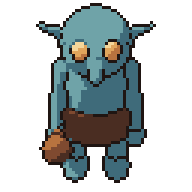
Pixor shades in 1 to 4 light bands and maps each band of each material to a step of a ramp. By default it builds hue-shifted ramps per material from the model’s colours. You can also choose one of seven built-in palettes (pixor-16, pixor-8, dusk-12, forest-12, desert-12, ice-10 and mono-8), load a Lospec .hex or GIMP .gpl file, or take a palette from a picture. Output can be an indexed PNG, and console modes keep to the colour limits of the Game Boy, NES, PICO-8, TIC-80 and C64.
Related
- Hue shifting
- Dithering: blending between ramp steps
- Palettes, the free tools and the settings manual
Questions
How many colours should a ramp have?
Three to five is typical for sprites. Small sprites often use three: shadow, base and light.
Where can I find ready-made palettes?
Lospec hosts many free palettes made by pixel artists, downloadable as .hex or .gpl files.
Can ramps share colours?
Yes, and they often should. Sharing the darkest shadow or the brightest highlight between ramps keeps a palette small and coherent.