Selout: selective outlines
Selout replaces a hard black outline with one that takes its colour from the shape inside it. The sprite stays readable but looks softer and more lit.
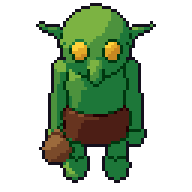
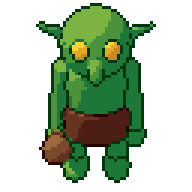
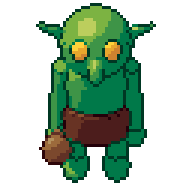
What it is
Selout is short for selective outlining. Instead of drawing the same dark line around the whole sprite, each outline pixel takes a colour from the shape next to it, usually a darker shade from that shape’s own ramp. Where the light hits, the outline gets lighter or disappears. Where the shape turns away into shadow, the outline gets darker.
A red cloak gets a deep red outline. A grey helmet gets a dark grey one. The top of the head, facing the light, may have no outline at all.
Why artists do it
A pure black outline is strong and clear, but it flattens a sprite. Every shape is fenced in by the same heavy line, and the line competes with the shading for attention. Selout keeps the edge defined while letting light seem to wrap around the form. It also helps sprites sit in a scene rather than sticking out like stickers.
It is a style choice, not a rule. Many well-loved games use black outlines throughout.
Common mistakes
- Using one colour for the whole outline. That is just a coloured outline. The point of selout is that the colour changes with the shape and the light.
- Making the outline too light. If outline pixels are close to the fill colour, the edge vanishes and the silhouette goes soft, especially against similar backgrounds.
- Removing outline on the shadow side. Keep the darkest outline where the sprite is in shadow; that side does most of the work defining the shape.
- Doubling up. An outline two pixels thick in places, or with stair-step “L” corners, looks heavy. Keep it to one clean pixel.
How to do it by hand
- Draw the sprite with a plain dark outline first, so the silhouette is solid.
- Pick a light direction.
- Walk round the outline. For each run of pixels, replace the dark colour with the darkest shade from the ramp of the shape it touches.
- On the lit side, step the outline one or two shades lighter, or remove it where the shape is clearly bright.
- Check the sprite on a dark and a light background, and at 1× zoom.
The same idea works for inner lines between parts, like the edge where a sleeve meets a glove.
How Pixor does it
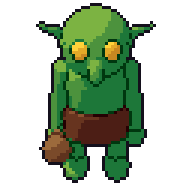
Pixor treats outline kinds separately: the silhouette, the inner lines between parts, and creases where a surface folds. Each kind can be left out, drawn dark, or drawn as a selective outline coloured from the surface next to it. Lines are one pixel wide without L-corners. The selout preset is a starting look with selective outlines on; like every stage, the line settings are nodes in the Style graph, and a look you like can be saved as a kit.
Related
- Outlines: silhouette, inner lines and creases
- Palette ramps: where selout colours come from
- Looks and the settings manual
Questions
Is selout better than a black outline?
Neither is better. Black outlines read well on busy backgrounds and suit a bold style; selout looks softer and more painted. Pick one and use it across the game.
Does selout work on very small sprites?
Yes, but keep the darkest part of the outline where the sprite meets the background in shadow, or it can blend into the scene.