Four ways to turn a 3D model into pixel art
There is more than one way to get pixel-art sprites from a 3D model. Here is what each one costs in time, what it gives you, and where it falls short.
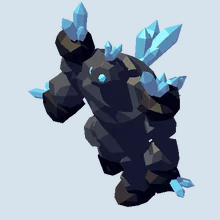
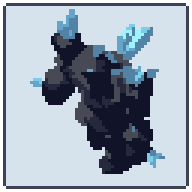
Rendering sprites from 3D saves drawing every frame of every side by hand (the complete guide explains why). The question is how to get from the model to pixels that read as pixel art. There are four common ways.
1. Draw over renders
Render the model from each side, shrink the frames, and redraw them by hand on top, pixel by pixel.
- Gives you: full control. Every pixel is a choice, so the result looks hand-made because it is.
- Costs: the most time. Eight sides of a walk cycle is 64 frames or more to redraw, and a change to the model means redrawing again.
- Best for: a few hero sprites, or touching up key frames after one of the other ways.
2. Shrink a render
Render the model at full size and scale it down, perhaps with a palette filter in an image editor.
- Gives you: small images quickly, with no setup.
- Costs: they don’t read as pixel art. Downscaling blends colours, so edges go soft, a few dozen intended colours become hundreds, thin parts break up, and pixels flicker from one frame to the next as the model moves.
- Best for: references and quick mock-ups, not final art.
3. Build a shader setup in Blender or your engine
Set up a low-resolution camera, a toon shader with banded light, an outline pass and a palette in Blender, or the same in Godot, Unity or Unreal, then script the export of every side and clip.
- Gives you: a pipeline you own and can tune, inside a tool you may already know.
- Costs: time to build and keep working. The hard parts are the ones that only show in animation: keeping one pixel scale for every object, a pivot that stays on the same pixel, light bands that don’t jump, lines that stay one pixel wide, and sheet export with the right names and layout for your engine.
- Best for: teams with a technical artist who wants to own every step.
4. Use a dedicated 3D-to-sprite app
A dedicated app does the steps of way 3 for you: it imports the model and its animations, puts a camera on every side, draws the pixels and exports sheets your engine reads.
- Gives you: a finished sprite sheet in minutes, and the same sheet again whenever the model changes.
- Costs: the app’s price, and learning its controls.
- Best for: most games with many sprites, sides or animations.
Pixor is one of these apps. Its shaders draw every pixel from your model, and the same model and settings always give the same pixels, so touch-ups made by hand stay valid. It keeps one pixels-per-metre scale and a fixed pivot across every frame and side, reduces colours to ramps with hue shifting, draws selective outlines and holds light bands steady so frames don’t flicker. It exports PNG sheets with JSON, Aseprite files with tags, Godot SpriteFrames, GIF and normal maps, works offline with no account, and costs one price with every update free. The free browser demo makes a first sprite sheet with no sign-up.
Which one to pick
| Draw over | Shrink a render | Shader setup | Dedicated app | |
|---|---|---|---|---|
| Setup time | none | none | days to weeks | minutes |
| Time per sprite | hours | minutes | minutes, once built | minutes |
| Reads as pixel art | yes | no | yes, if tuned | yes |
| Steady in animation | yes, by hand | no | only if you solve flicker | depends on the app |
| Redo after a model change | redraw | quick | quick | quick |
Many artists combine them: render with a dedicated app or their own setup, then draw over the few frames that matter most. Start with the first-sprite tutorial to see the whole path from model to sheet.
Questions
What is the fastest way to turn a 3D model into a sprite sheet?
A dedicated 3D-to-sprite app: import the model, place the cameras, pick the animation and a look, and export the sheet. With Pixor that takes a few minutes for a first sprite, and the free browser demo covers it.
Can I just shrink a render to get pixel art?
You get small pictures, not pixel art: soft edges, hundreds of near-identical colours and pixels that flicker between frames. It works as a reference to draw over.
Do I need Blender to turn a model into sprites?
No. Pixor imports glTF, GLB, FBX, OBJ and MagicaVoxel .vox files from any 3D tool, including Mixamo FBX files as they are.
How many directions can I render?
As many as the game needs: one side for a side-scroller, 4 or 8 for top-down and isometric games, 16 or 32 for vehicles and ships. In Pixor a ring of cameras renders every side at once.