A 3D pixel-art shader for Godot 4
Some things cannot be baked into a sprite sheet: a whole 3D level, a vehicle the player steers anywhere, a boss with a hundred poses. Pixor writes its look as Godot 4 shaders, so those are drawn live in the same pixels as your baked characters.
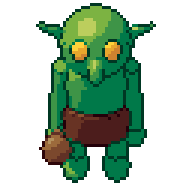
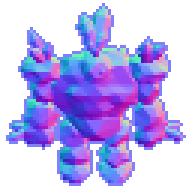
Two ways to get pixel art in a 3D game
There are two common ways to make a Godot game look like pixel art. The first is to bake: render each character from every side into a sprite sheet and play it on an AnimatedSprite2D. The second is to draw the 3D scene itself at a low resolution, through a shader that bands the light, limits the colours and draws outlines, then scale it up with nearest filtering. Searches for “3D pixel art shader Godot” and “Godot 4 post processing pixel art” are about the second.
Each has its place. Baked sheets give you hand-made control and touch-ups, and cost nothing to draw. Real time handles what no sheet can hold: a level the camera moves through, a car that turns to any angle, a scene where everything moves at once. The trouble is that the two rarely match: the sprites come out of one pipeline, the level out of a shader written separately, and the outlines, colours and light disagree.
pxr shader solves that by writing Godot shaders from the same Style the sprites are baked with.
Write the shaders
Point it at a model and a look, or at a project, and at a folder inside your Godot project:
pxr shader knight.glb --preset selout --size 64 -o my-game/pixor
pxr shader game.pixor -o my-game/pixor --res res://pixor
-o is the folder on disk; --res is the same folder as Godot sees it, a res:// path, when it is not res:// followed by the folder’s name. The folder gets five files:
| File | What it does |
|---|---|
pixor_look.gdshader |
The material. Each pixel takes the ramp of its colour, the step of its light band and the highlight, as a baked sprite would, in the palette’s own colours. It is unshaded: the look is the light. |
pixor_lines.gdshader |
The lines, a screen pass: the silhouette on the empty pixels around a model, and inner lines where one surface stands in front of another, in the Style’s line colours. |
pixor_view.tscn |
The pixel grid: a viewport at the sprite’s size, scaled up four times with nearest filtering, with Pixor’s camera and the lines in it. |
pixor_look.gd |
PixorLook.apply($Level) gives every mesh under a node the look, keeping each material’s colour and texture. |
pixor_shader.json |
The size, the scale, the palette, and what of the Style the shaders leave out. |
Put it in your scene
- Copy the folder into the Godot project, or write it there directly with
-o. - Add
pixor_view.tscnto your main scene. It draws the 3D world it is in through the pixel grid, with the outline pass. - Give your meshes the look. From a script,
PixorLook.apply($Level)sets the material on every mesh under the node. By hand, putpixor_look.gdshaderon a mesh’s material.
Nothing else needs setting: the light bands, the ramps, the palette and the line colours are written into the shaders. To change the look, change it in Pixor and run pxr shader again.
--view-scale sets how many screen pixels each art pixel becomes (4 by default). Keep it a whole number, as for any pixel art; the sprite sizes guide explains why.
What real time leaves out
In real time the frame is drawn the way a baked one is, with three differences:
- No cast shadows. Surfaces are lit and banded, but one object does not shadow another.
- No part lines without a depth step. Two parts that touch, such as a sleeve on an arm, get a line only where one stands in front of the other.
- No whole-frame steps. Steps that read the whole frame or compare frames, such as the cleanups and the hand-drawn atoms marked that way, run only when baking.
Every Style node says whether it runs in real time: pxr nodes --graph style prints “in real time: yes” or “not yet” under each one. A Style whose graph has a node that cannot run in real time is refused, and the error names the node. Add --partial to write the shader of its settings anyway, without that node.
Use both
The strongest setup uses both halves. Bake the characters, which need hand touch-ups, many frames and exact silhouettes, into sheets (Pixor for Godot covers the SpriteFrames and the ready-wired scene). Draw the world, the vehicles and anything too big or too free to bake through pxr shader. Because both come from one Style, they share ramps, bands and the palette, and the player sees one game, not two.
For a sprite that should react to light in a 2D scene instead, the light kit (--export light-kit) lights baked sprites from their normal maps in Godot, Unity or GameMaker while every lit pixel stays on its own ramp; see palette-correct lighting. The manual’s section on the real-time shaders has every option.
Questions
Is there a Unity or Unreal version of the real-time shader?
Not yet: pxr shader writes Godot 4 shaders only. For Unity and GameMaker, Pixor's light kit lights baked sprites in the engine on the palette's own steps, with a shader for each.
Does the real-time look match the baked sprites exactly?
It uses the same ramps, light bands, highlight and palette. It leaves out cast shadows, lines between parts that touch without a step in depth, and the steps that read the whole frame or compare frames, such as the cleanups.
Do I have to set up the shader parameters by hand?
No. The look is baked into the shader files, the view scene holds the camera and the lines pass, and PixorLook.apply gives every mesh under a node the material, keeping each one's colour and texture.