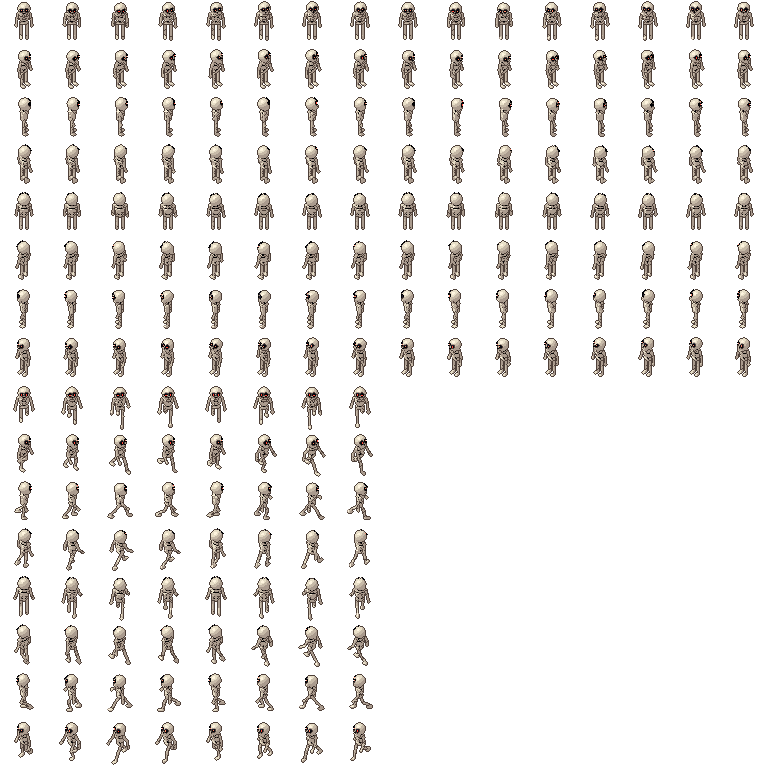
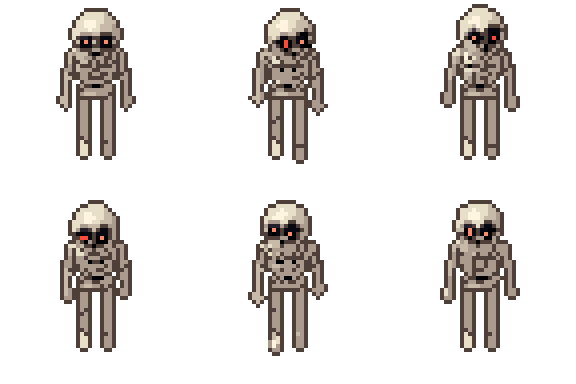
Skeleton free 3D model & sprite sheet
2D pixel art by Pixor, from the 3D model
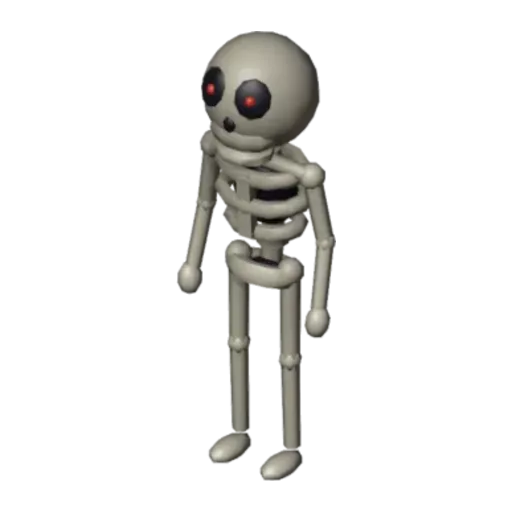
3D the model it was rendered from

GIFs to share
For a devlog, a post or a Discord message. CC0 like the rest: no credit needed.
A chunky skeleton with a big skull, dark eye sockets and glowing pupils. Its Idle clip is a hunched sway with the jaw chattering now and then, and its Walk is a stiff, stooped walk in place. Both loop and are rendered at 48 pixels from eight sides.
Every bone shell is rigidly skinned to one bone of a humanoid armature, and an extra jaw bone gives the chatter. The armature’s bones are named for Pixor’s motion library, so library clips such as run and attack fit it too, with no retargeting. A dark hollow inside the ribs and pelvis shows between the bones.
Skeletons are dungeon regulars in roguelikes, action RPGs and tower defence games. Use the eight sides for full top-down movement, Walk while patrolling and Idle when waiting. Library attack clips give it a way to fight back, and the chattering jaw in Idle adds life while it stands guard.
Change the Eye glow material for a red or blue-eyed variant, or the Bone material for an older, stained look. Several recoloured skeletons make a whole undead squad from one file. It belongs in a dungeon beside the wall torch, the dungeon door and the treasure chest it guards.
Use it in your game
- Godot 4:
godot/skeleton-selout-48.tresis aSpriteFramesresource with 16 animations (Idle_South, Idle_Southeast … Walk_Southwest): drop it on anAnimatedSprite2Dand playIdle_South. - Aseprite:
aseprite/skeleton-selout-48.asepritehas a tag for each of those, 192 frames in all, to touch up by hand; its.jsonsits next to it. - Unity, GameMaker and the rest:
sprites/selout/skeleton-48px-8-sides.pnghas 16 rows of 48×48 px cells, one per action and side, South (front) first. A 4-side sheet and the 32 and 64 px sizes are next to it. - Posts and devlogs: the GIFs above, also in the zip’s
gifs/folder. - 3D: the GLB opens in Blender, Godot, Unity and three.js. The
.blendkeeps its modifiers, named parts and materials.
How this look was made
The sprite above is Pixor’s selective outline look. In Pixor every step of a look is a node you can change: the light bands, the outlines, the palette. This is that look’s Style graph:

- dither
- 0
- fill
- 0
- hysteresis
- 0.05
- min highlight
- 2
- rim
- none
- shadows
- on
- specular
- 0.96

- convex
- none
- crease
- selout1
- crease angle
- 55
- depth jump
- 2.5
- inner
- selout2
- min inner line
- 3
- outer
- selout3
- outer inside
- off
- part lines
- on


The other looks in the player (clean, retro, flat) are other Style graphs. With Pixor you can open this asset, change any node, and render your own.