Gold coin free 3D model & sprite sheet
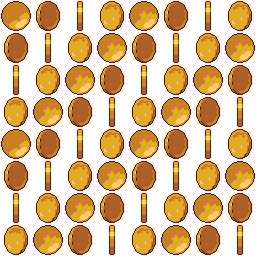
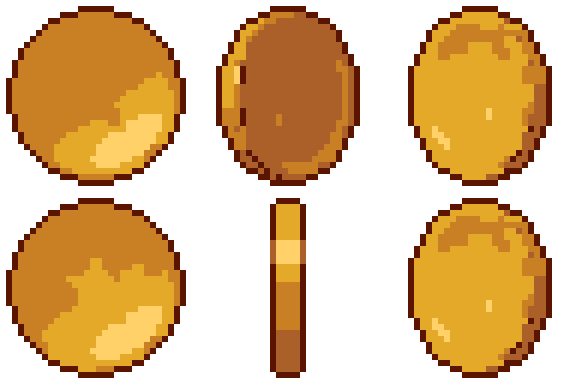
2D pixel art by Pixor, from the 3D model
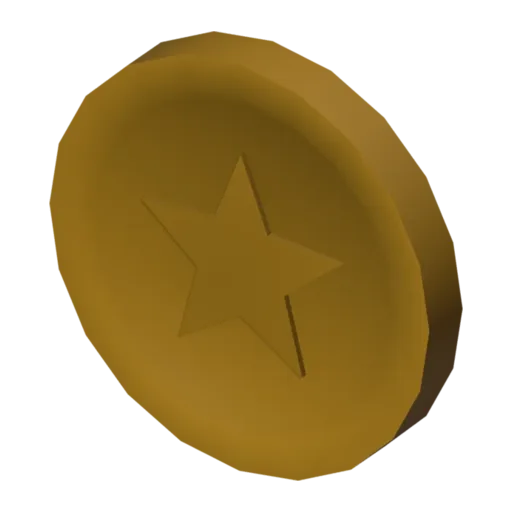
3D the model it was rendered from

GIFs to share
For a devlog, a post or a Discord message. CC0 like the rest: no credit needed.
A gold coin with a raised rim and a star stamped on both faces. The 3D model is a single minted disc, and the sprite sheet rendered by Pixor shows it spinning in place over eight frames, so the star turns to an edge and back again. It is the classic collectible: small, bright and readable at 32 pixels.
In Blender the coin is a lathe profile: one outline of rim, face and star relief turned around the centre. It uses one shared Gold material, the same one the key and the sword’s guard use, so changing that material shifts every gold item in a scene together. The spin is procedural, made by Pixor at render time rather than keyed in the file.
Coins are the currency of platformers, endless runners and shop screens. Scatter them along a jump arc to show players where to go, drop them from defeated enemies, or freeze a single frame as the money icon next to a counter in the HUD. Because it is a pickup, the coin is centred in its cell, which makes it easy to place on a grid or float above a tile.
For silver or copper coins, duplicate the material and change its colour before rendering. Pair it with the treasure chest, whose open lid reveals a heap of the same gold, or with the cut gem for a second, rarer currency.
Use it in your game
- Godot 4:
godot/coin-selout-32.tresis aSpriteFramesresource with 8 animations (spin_South, spin_Southeast … spin_Southwest): drop it on anAnimatedSprite2Dand playspin_South. - Aseprite:
aseprite/coin-selout-32.asepritehas a tag for each of those, 64 frames in all, to touch up by hand; its.jsonsits next to it. - Unity, GameMaker and the rest:
sprites/selout/coin-32px-8-sides.pnghas 8 rows of 32×32 px cells, one per action and side, South (front) first. A 4-side sheet and the 48 and 64 px sizes are next to it. - Posts and devlogs: the GIFs above, also in the zip’s
gifs/folder. - 3D: the GLB opens in Blender, Godot, Unity and three.js. The
.blendkeeps its modifiers, named parts and materials.
How this look was made
The sprite above is Pixor’s selective outline look. In Pixor every step of a look is a node you can change: the light bands, the outlines, the palette. This is that look’s Style graph:

- dither
- 0
- fill
- 0
- hysteresis
- 0.05
- min highlight
- 2
- rim
- none
- shadows
- on
- specular
- 0.96

- convex
- none
- crease
- selout1
- crease angle
- 55
- depth jump
- 2.5
- inner
- selout2
- min inner line
- 3
- outer
- selout3
- outer inside
- off
- part lines
- on


The other looks in the player (clean, retro, flat) are other Style graphs. With Pixor you can open this asset, change any node, and render your own.