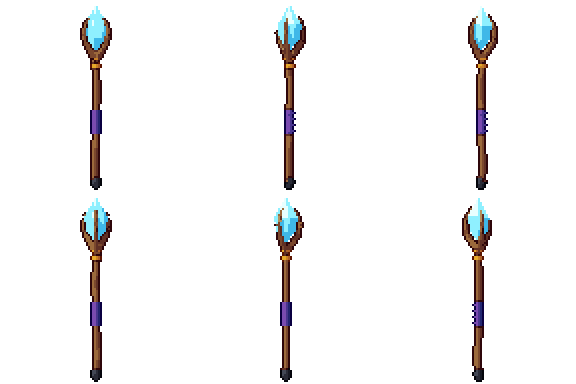
Magic staff free 3D model & sprite sheet
2D pixel art by Pixor, from the 3D model
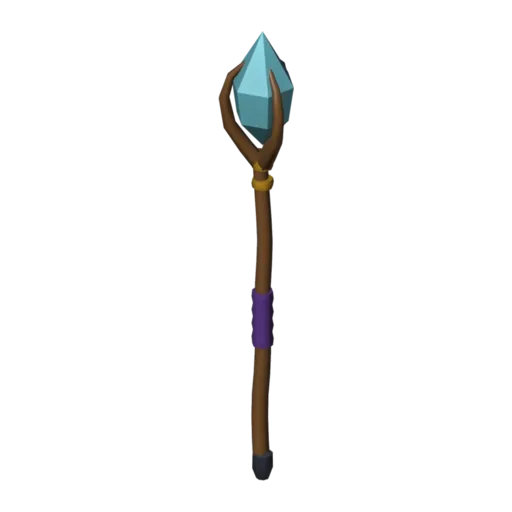
3D the model it was rendered from

A GIF to share
For a devlog, a post or a Discord message. CC0 like the rest: no credit needed.
A wizard’s staff with a gnarled wooden shaft, gold bands and a crown of three claws gripping a glowing crystal. The crystal is drawn without outlines, so it reads as light rather than solid stone. The model is still and rendered side-on at 96 pixels, tall enough for the twisted shaft to show its character.
The shaft and the claws are tubes that wander slightly off a straight line, which gives the wood its gnarled look. The crystal uses a glow material with a colour ramp, and the grip is wrapped in purple cloth so the hand position is easy to spot.
Its origin is at the grip, so it drops onto a hand bone and goes wherever the arm goes. Use it for a mage player, a necromancer boss or a shop item in a fantasy RPG. In a card game or skill tree, a still frame makes a strong class icon.
Change the Crystal glow material to red, green or white to signal fire, nature or holy magic. The staff fits with the cauldron and the magic portal in a wizard’s tower, and with the blue crystal when you want the same glow in the scenery.
Use it in your game
- Godot 4:
godot/staff-selout-96.tresis aSpriteFramesresource with 8 animations (Static_South, Static_Southeast … Static_Southwest): drop it on anAnimatedSprite2Dand playStatic_South. - Aseprite:
aseprite/staff-selout-96.asepritehas a tag for each of those, 8 frames in all, to touch up by hand; its.jsonsits next to it. - Unity, GameMaker and the rest:
sprites/selout/staff-96px-8-sides.pnghas 8 rows of 96×96 px cells, one per action and side, South (front) first, 100 ms a frame. A 4-side sheet and the 32, 48 and 64 px sizes are next to it. - Posts and devlogs: the GIFs above, also in the zip’s
gifs/folder. - 3D: the GLB opens in Blender, Godot, Unity and three.js. The
.blendkeeps its modifiers, named parts and materials.
How this look was made
The sprite above is Pixor’s selective outline look. In Pixor every step of a look is a node you can change: the light bands, the outlines, the palette. This is that look’s Style graph:

- dither
- 0
- fill
- 0
- hysteresis
- 0.05
- min highlight
- 2
- rim
- none
- shadows
- on
- specular
- 0.96

- convex
- none
- crease
- selout1
- crease angle
- 55
- depth jump
- 2.5
- inner
- selout2
- min inner line
- 3
- outer
- selout3
- outer inside
- off
- part lines
- on


The other looks in the player (clean, retro, flat) are other Style graphs. With Pixor you can open this asset, change any node, and render your own.