Sub-pixel animation: a breath smaller than a pixel
A gentle idle on a small sprite either does not show at all or jumps a whole pixel at once. Pixel artists draw the in-between with a darker edge pixel. Pixor's Sub-pixel motion does the same, only where an edge actually moves.
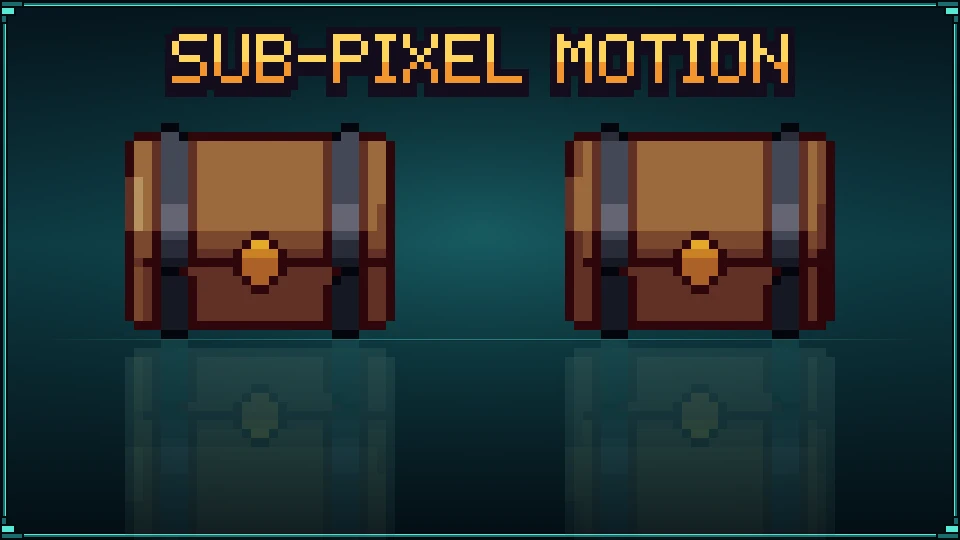

Sample project
Sub-pixel motion: a chest that breathes by less than a pixel: the .pixor project and its library model (CC0). The sheet on the left is what it renders.


Beginner · about 5 minutes · or watch it in 92 seconds
1. A small sprite
Open a model: the tutorial uses the chest from the free CC0 library. In the Scene step, click the South camera, set the Game view to Top-down RPG and the width and height to 32. Sub-pixel motion matters most on small sprites, where a pixel is a big step.
2. A breath
Click the chest in the Outliner so the motion moves it, then in the Action step choose Add an action › Pulse. In the Action graph set the Pulse node’s Amount to 0.025: the chest grows and shrinks by 2.5 %, less than a pixel at 32 pixels.
3. Off: it jumps
In the Style step, zoom the 2D View in and turn on the Pixel grid (Shift+G). The edges sit still for a few frames, then jump a whole pixel.
4. Sub-pixel motion
Select the Cleanup node in the Style graph and, in the Inspector’s Cleanup section, tick Sub-pixel motion. Select the Output node again to see the finished sprite.
5. On: it breathes
While the model covers only part of an edge pixel (less than seven eighths of it), that pixel takes the next darker colour of its own ramp, and goes back when the model covers it again. The chest now breathes in shades instead of jumps.
6. Only the edges
What changed (D) marks the pixels that differ from the frame before: only the ones the moving edges cross. A render’s flicker share goes up a little with the setting on, since those pixels change on purpose.
7. Export
Export writes the sheet as usual; the in-between pixels are in it, in the palette’s own colours.
From the command line
pxr render chest.glb --size 32 --clip none --motion pulse:8:0.3 --subpixel
pxr project set game.pixor --subpixel
--no-subpixel turns it off for a project.
Next
- Sub-pixel animation, explained: where the technique comes from.
- Anticipation and follow-through: the opposite problem, motion that needs more weight.
Questions
Does sub-pixel motion change the silhouette or the outline?
No. Only edge pixels that the moving surface covers in part change, and only to the next darker colour of their own ramp. The outline, the silhouette and every other pixel stay exactly as they were.
Are the in-between colours new colours?
No. Each is the next step down the ramp the shading already put the pixel on, so every colour is one of the palette's.
Which motions does it help?
Anything that moves less than a pixel a frame: breathing idles, a hovering bob, a slow sway, a pulse. A fast move is left alone; it already reads.
How is it different from the Sub-pixel motion node?
The node in the Style graph works one frame at a time and may let a part creep into empty pixels. This setting looks at the whole clip and never changes the silhouette.