Death effects: shatter, dissolve and spawn
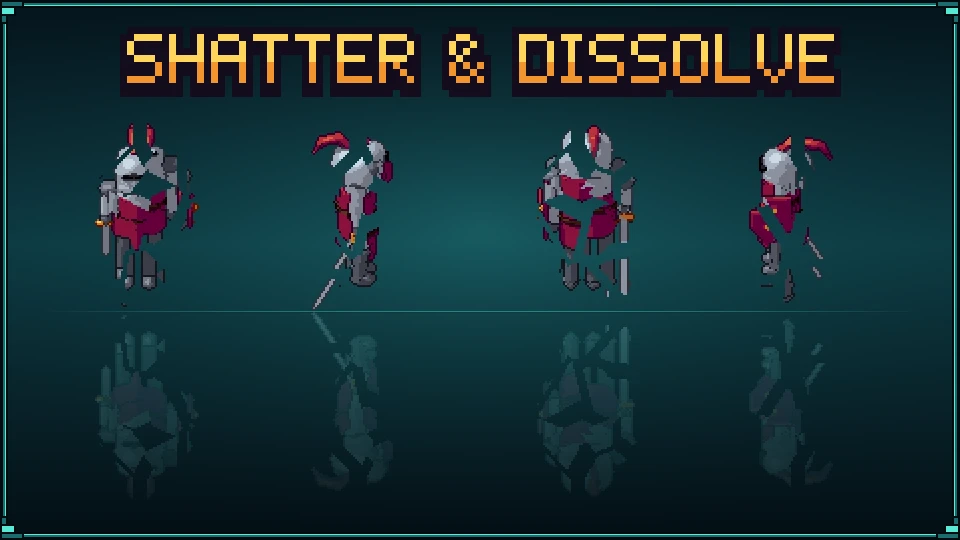
Every enemy needs a way to go. Pixor makes three from any 3D model, with nothing to draw and no particles to set up: it breaks into chunks, burns away pixel by pixel, or comes in from nothing.
Sample project
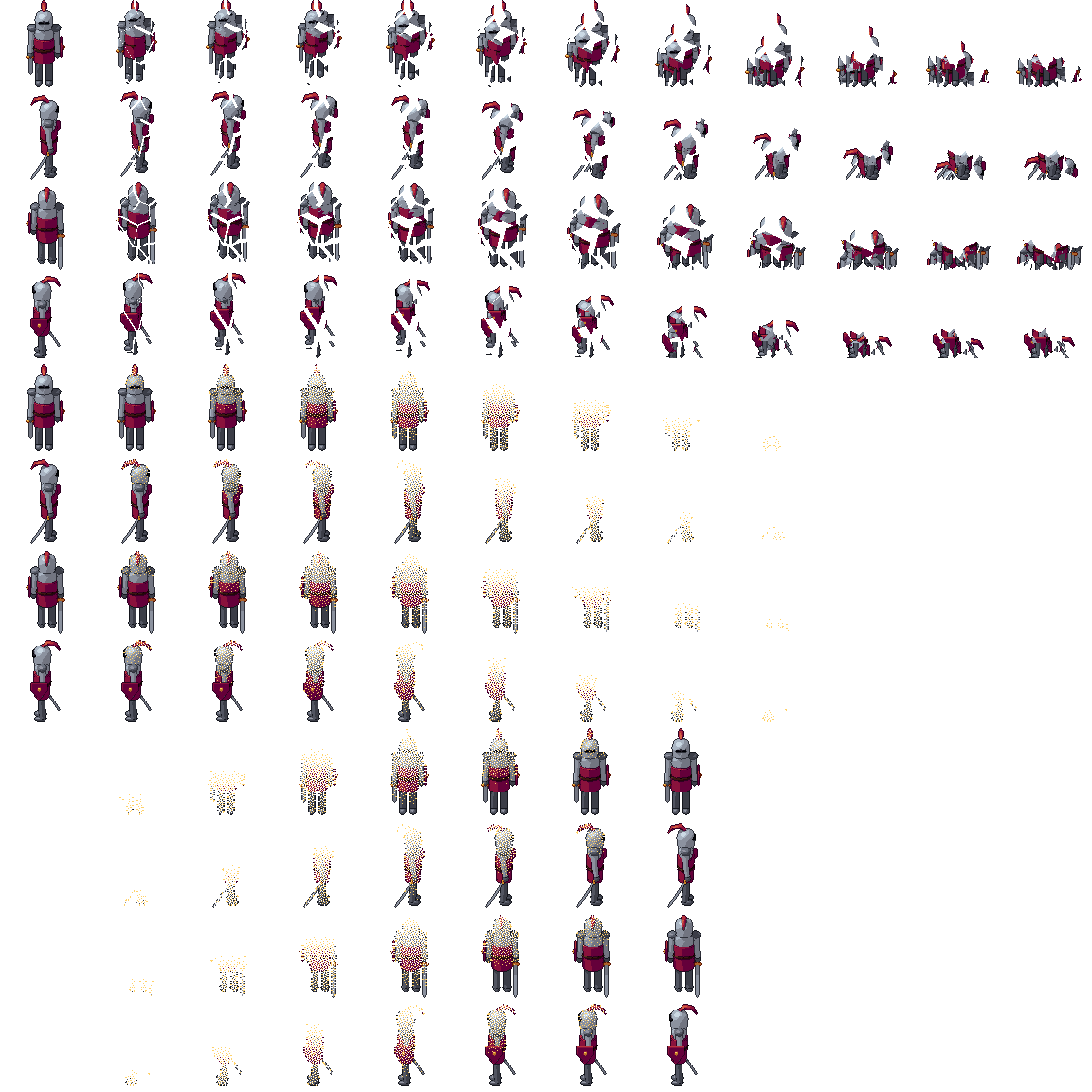
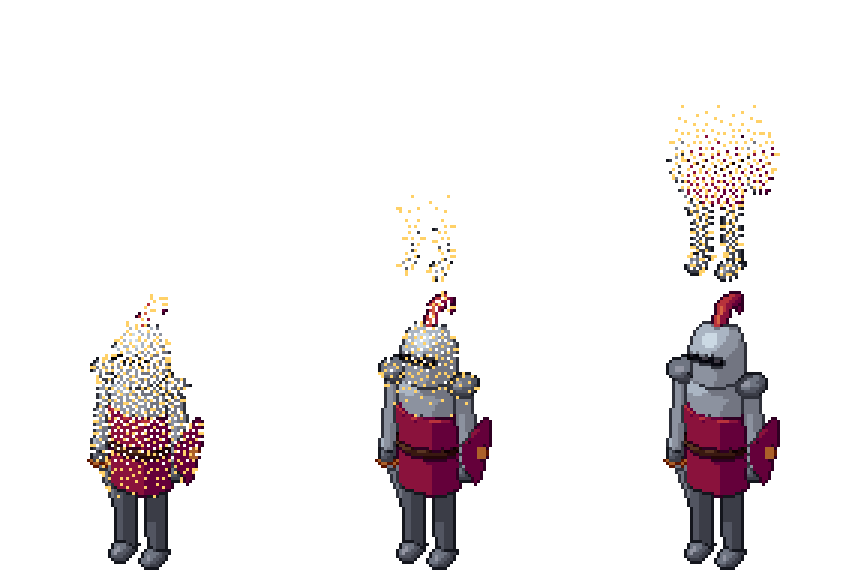
Death effects: a knight that shatters, dissolves and spawns: the .pixor project and its library model (CC0). The sheet on the left is what it renders.
Beginner · about 5 minutes · or watch it in 95 seconds
1. Import a model
Start a New project and import a glTF, FBX or OBJ file. The tutorial uses the knight from the free CC0 library; any enemy, prop or crate works the same, rigged or not.
2. Four sides at 96 pixels
In the Scene step, click the South camera in the Outliner, set the Game view to Top-down RPG, the width and height to 96, and press 4 sides. Shatters need room: at 96 pixels each chunk has its own shading and outline. Small enemies at 32 or 48 pixels dissolve better than they break.
3. Shatter
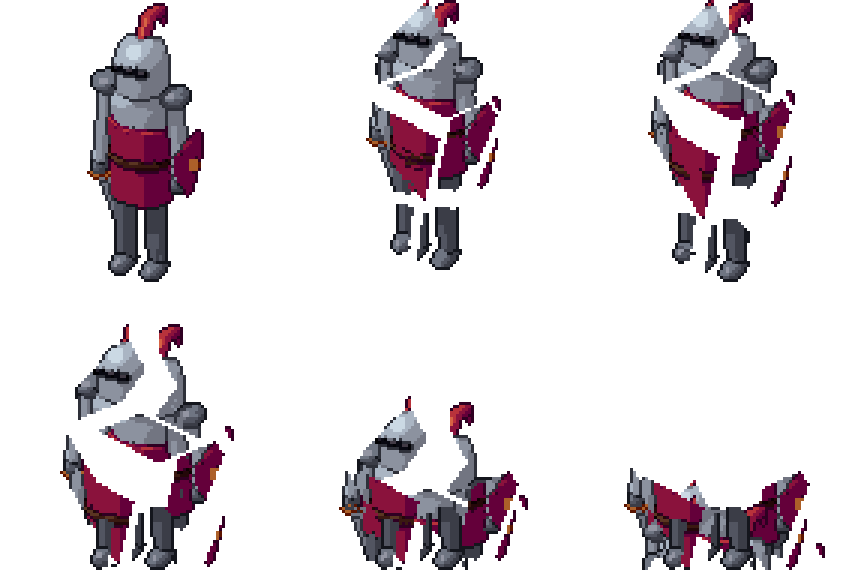
Open the Action step and choose Add an action › Break apart. The frame is cut into chunks that are thrown up and out, fall, bounce on the ground and come to rest, over 10 frames. Whole pixels move, never part of one, so the chunks keep the sprite’s palette and its lines.
4. Dissolve
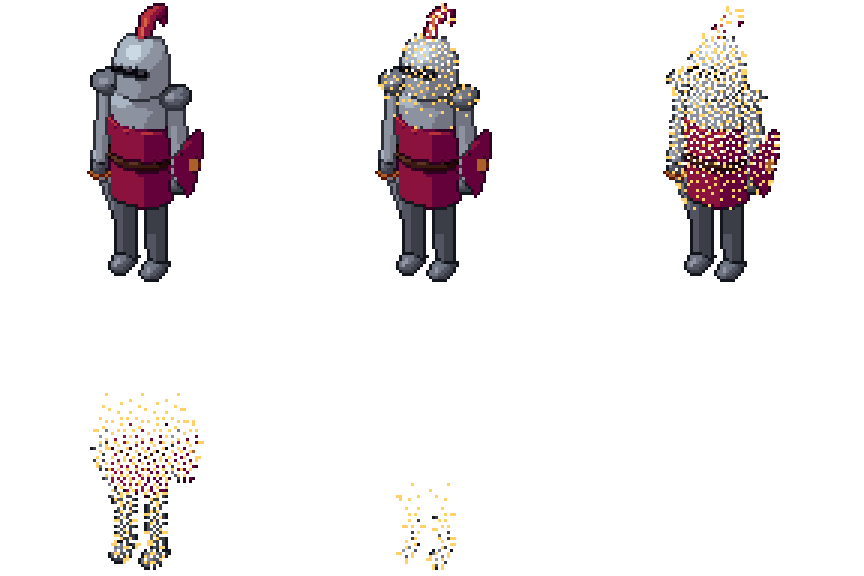
Add an action › Dissolve takes the model away pixel by pixel from the top down, on a pattern that stays on the surface, so it does not crawl while the model moves, with a band of the palette’s lightest colour burning along its edge. Its last frame is empty.
5. Materialise for a spawn
Materialise is the dissolve backwards: from nothing to the whole model. Use it when an enemy spawns, a pickup appears or a summoned creature arrives.
Each reaction is a Ramp node in the Action graph: select the action to change its frames there, or key it inside another action (half a dissolve is 0.5).
6. Every side, one sheet
In the Asset step the 2D View shows the sheet: one row per effect and side, each on the same pivot, so the game swaps from the walk to the death without a jump.
7. Export
Add a File: GIF per clip output from the node library to preview each effect, then Export: the sheet, its JSON (every effect is a named animation) and the GIFs.
From the command line
The same effects for a whole cast of enemies, from a build script:
pxr render knight.glb --clip none --view three-quarter --size 96 --ring 4 \
  --reaction break:12 --reaction dissolve:10 --reaction materialise:8 --export json
After a death clip, name it: --clip lib:death --reaction dissolve:10@lib:death falls backwards, then dissolves the last pose.
Next
- Palette variants: a hit flash and a frozen enemy from the same sheet.
- 3D to pixel art: how the frames of an animation are chosen.
Questions
Does the model need to be cut into pieces for the shatter?
No. Pixor cuts the finished frame into chunks itself and throws them, so any model works, rigged or not, one mesh or many.
Can the effect play after a death animation?
Yes. Give the reaction the clip it follows: --reaction dissolve:10@death holds the death's last pose and dissolves it, as an action of its own called death dissolve.
Will the chunks and embers match my sprite's colours?
They are the sprite's own pixels, on its palette: the chunks keep their shading and outline, and the dissolve's edge burns in the palette's lightest colour.
How many frames should a death effect have?
Ten to twelve reads well at 12 frames a second; eight for small enemies. A spawn can be shorter than the death: players watch it less.