Pixel art walk cycle, idle and attack animation
A walk, an idle and an attack are the three animations nearly every game character needs. Here are the poses, frame counts and timings that make them read at a few pixels tall, the mistakes that make them float, and how to render all three from a 3D model on eight sides.
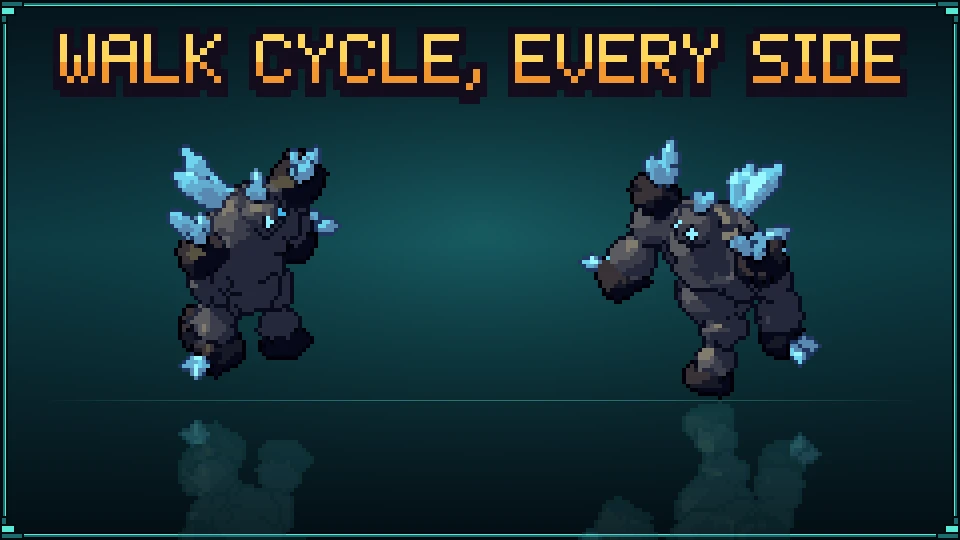
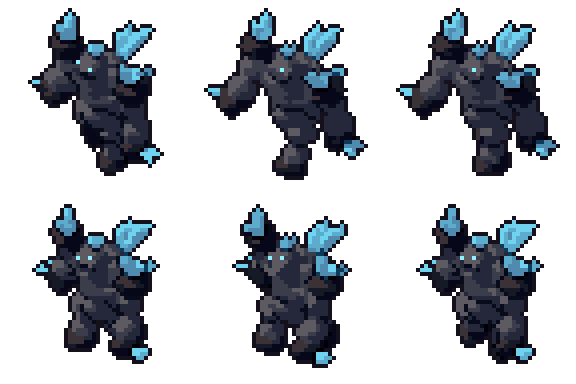

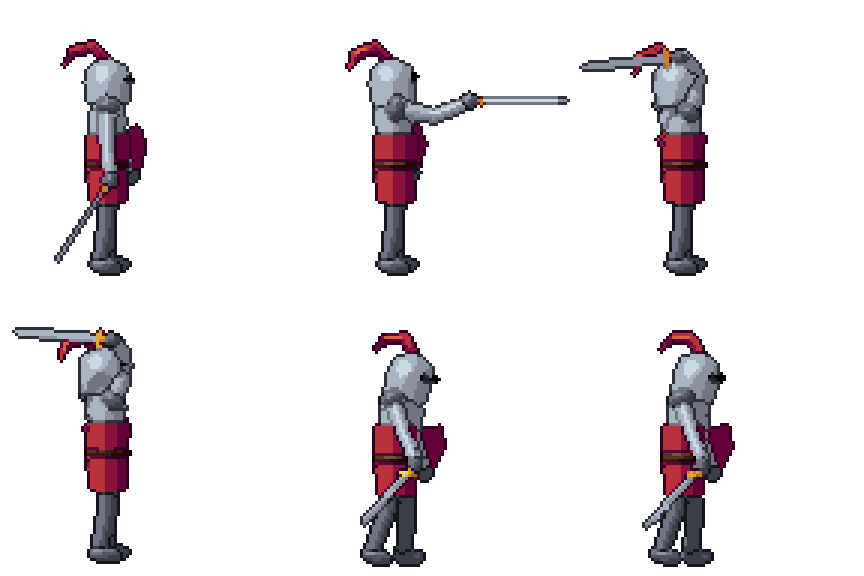
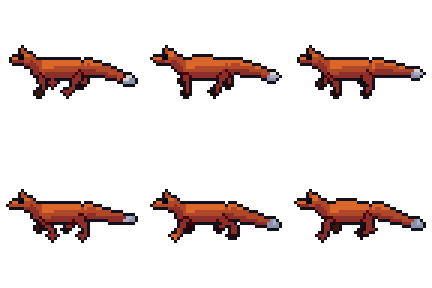
The walk cycle’s key poses
A walk cycle is two steps, left then right, that loop. Each step goes through four poses:
- Contact: both feet on the ground, the legs at their widest, the front heel just landing.
- Down (recoil): the front leg takes the weight and bends; the body is at its lowest.
- Passing: the back leg swings past the standing one; the body rises.
- Up: the standing leg pushes off; the body is at its highest, just before the next contact.
The arms swing opposite the legs: when the left leg is forward, the right arm is. Without it a walk looks like marching, and on a small sprite the swinging arm is often what tells the viewer which way the step is going.
How many frames
| Frames | What it gives |
|---|---|
| 4 | Contact and passing for each step. Reads clearly, looks brisk or stiff; fine for 16 px characters and retro games. |
| 6 | Contact, down and passing per step. The usual choice for game characters: the down pose gives the walk weight. |
| 8 | All four poses per step. Smooth, with a proper bob; worth it at 32 px and up, or for a character the player watches all game. |
Play them at 8 to 12 frames a second. More frames at the same speed make a slower walk; a heavy creature is better made by holding each frame a little longer than by adding in-betweens.
Keep the head bob to whole pixels. The body goes down at the down pose and up at the up pose, usually by one pixel, two on a big sprite. A bob of one pixel on some frames and none on others, or a head that moves while the feet do not, reads as jitter rather than weight.
Idle animation
An idle is the character standing and breathing: the chest rises, the shoulders lift, perhaps a cape or a tail sways. Two to four frames are enough, held long (300 to 500 ms each), because the motion is slow.
On a small sprite one pixel of breath is a hiccup. Sub-pixel animation moves the edge by changing its colours instead, so the breath is smaller than a pixel; the sub-pixel animation tutorial renders it from a 3D model.
Attack animation
An attack is three parts, and the timing between them matters more than the number of frames:
- Anticipation: the wind-up. The weapon draws back, the body coils. Held a little, so the player sees it coming.
- The hit frame: the strike itself, often one frame with a smear, a stretched shape that fills the weapon’s path. Hold this frame longer than the others; a short pause on impact (a hit-stop) is what makes a blow feel strong.
- Follow-through: the weapon goes past the target, then the body recovers to its idle pose, quickly.
A captured 3D attack usually has no wind-up and stops dead. Anticipation and follow-through shows how to add both.
Eight directions
A top-down game needs the walk from up to eight sides: South, Southeast, East, Northeast, North and the rest. Each one is its own animation, because the legs overlap differently from each angle: from the front the legs move up and down, from the side they scissor, from the diagonals they do some of both. By hand that is eight walks to draw and keep consistent (five if the game mirrors the left sides into the right).
A 3D model gives all of them at once: one walk, eight cameras round it, every side the same height, the same timing and the same pixel size. An 8-direction walking character does it step by step.
From a 3D model with Pixor
Pixor renders a 3D model’s animation into pixel-art sprite sheets, on as many sides as it has cameras (Ring round the model adds 4, 8, 16 or 32; --ring 8 on the command line).
- The motion. A rigged character’s own clips, including Mixamo FBX files as they are, or Pixor’s library clips fitted to any humanoid skeleton: idle, walk, run, jump, attack, hit and death (
--clip lib:walk). - Fewer frames. A 3D clip has far more frames than pixel art wants. On the Asset step’s Sprites node, Smart frames with Kept frames set to about 6 keeps the poses where the motion turns, more where it is fast, each held until the next, and cuts a walk’s two steps alike so it never limps (
--smart-frames 6). Frames/s gives an even step instead, 12 a second until told. - Holds. Hold (ms) holds one frame longer in every sheet, GIF and
.aseprite. A hit-stop is an event with a hold:--event attack@7=hit+300marks frame 7 as the hit and holds it at least 300 ms (a frame already held longer keeps its own hold). - Wind-up and follow-through. The Timing node, a filter after the clip, adds a wind-up before every fast move, an overshoot after it and a squash where a fall lands, leaving every held pose where it was (
--timing 1). - Creatures without a walk. The Gait node makes a walk, trot, hop or slither from the rig’s own legs, each foot planted while it is down (
--gait walk). See a run cycle for any creature. - Feet and bob. Plant the feet puts a humanoid’s soles on the same pixel row in every frame where they touch the ground (
--foot-plant), and root motion can be kept In place so the sprite stays on its pivot.
pxr render hero.glb --clip lib:idle --clip lib:walk --clip lib:attack --ring 8 --smart-frames 6 --timing 1 --foot-plantCommon mistakes
- Too many frames. Every frame of a 30 fps clip makes a walk that looks floaty and smooth, like a 3D render shrunk down. Pick the key poses and hold them.
- A silhouette that jitters. Pixels at the edge that flip on and off from frame to frame, where nothing really moves, make the whole sprite shimmer. Compare frames with onion skin before adding more.
- Feet that slide. The sprite’s pivot must stay put while a foot is on the ground. A clip that travels forward, or a pivot that moves with the body, makes the feet skate.
- An uneven bob. The body dropping one pixel on one step and two on the other makes the character limp. Both steps should rise and fall alike.
Questions
How many frames should a pixel art walk cycle have?
Four is the minimum that reads as walking, six is the most common for game characters, and eight gives a smooth, weighty walk for larger sprites. Small sprites (16 to 24 px) rarely gain anything past six.
What frame rate should a pixel art walk use?
Usually 8 to 12 frames a second, about 80 to 125 ms a frame, for a full cycle of two steps in roughly half a second to a second. A slower, heavier creature can hold each frame longer rather than adding frames.
Do I need separate animations for all 8 directions?
Yes, except that a game can mirror the left-facing sides into the right-facing ones when the character is symmetrical. Each direction shows the legs and arms from a different angle, so a walk drawn for one side cannot be turned into another.