Campfire free 3D model & sprite sheet
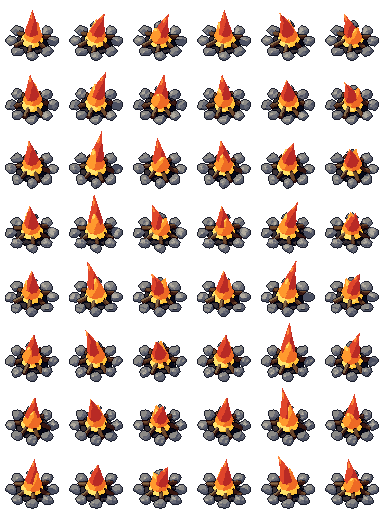
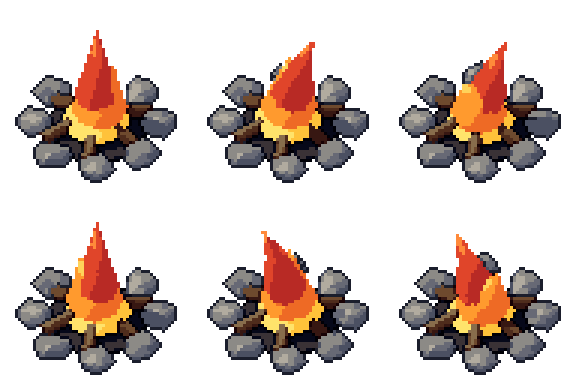
2D pixel art by Pixor, from the 3D model
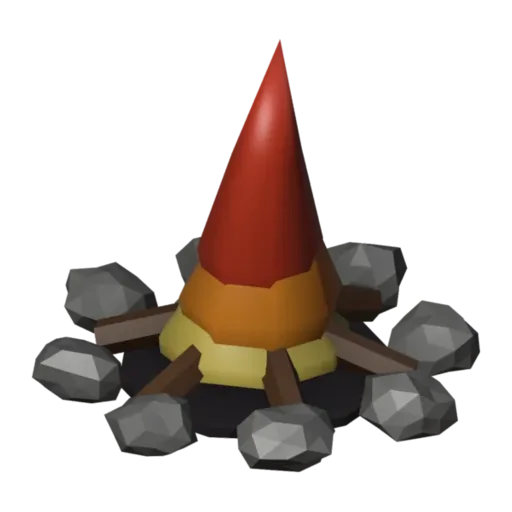
3D the model it was rendered from

GIFs to share
For a devlog, a post or a Discord message. CC0 like the rest: no credit needed.
Crossed logs in a ring of stones, with a flickering flame rising from the middle. The Burn clip loops over six frames, and the sprites are rendered at 64 pixels from a three-quarter view. The charred logs and warm glow make it an instant gathering point in any outdoor scene.
The flame is a shape-key flipbook: each key is a different flame shape, stepped through to make the flicker. Glow materials with colour ramps give it a hot core and cooler edges. The stones in the ring are seeded rocks, and the logs use Bark and Charcoal materials.
Campfires are save points, rest stops and crafting stations in survival games, RPGs and roguelikes. They also light up night scenes and give an encampment a centre. Play the loop continuously, and use the logs alone, without the flame, for a burnt-out or unlit fire.
Surround it with the rock set and grass tuft, or set it among pine trees for a forest camp. The fire prop gives you a flame on its own if you want to set something else alight. For a ghostly camp, try tinting the flame materials pale blue.
Use it in your game
- Godot 4:
godot/campfire-selout-64.tresis aSpriteFramesresource with 8 animations (Burn_South, Burn_Southeast … Burn_Southwest): drop it on anAnimatedSprite2Dand playBurn_South. - Aseprite:
aseprite/campfire-selout-64.asepritehas a tag for each of those, 48 frames in all, to touch up by hand; its.jsonsits next to it. - Unity, GameMaker and the rest:
sprites/selout/campfire-64px-8-sides.pnghas 8 rows of 64×64 px cells, one per action and side, South (front) first. A 4-side sheet and the 32 and 48 px sizes are next to it. - Posts and devlogs: the GIFs above, also in the zip’s
gifs/folder. - 3D: the GLB opens in Blender, Godot, Unity and three.js. The
.blendkeeps its modifiers, named parts and materials.
How this look was made
The sprite above is Pixor’s selective outline look. In Pixor every step of a look is a node you can change: the light bands, the outlines, the palette. This is that look’s Style graph:

- dither
- 0
- fill
- 0
- hysteresis
- 0.05
- min highlight
- 2
- rim
- none
- shadows
- on
- specular
- 0.96

- convex
- none
- crease
- selout1
- crease angle
- 55
- depth jump
- 2.5
- inner
- selout2
- min inner line
- 3
- outer
- selout3
- outer inside
- off
- part lines
- on



The other looks in the player (clean, retro, flat) are other Style graphs. With Pixor you can open this asset, change any node, and render your own.
Related free assets
 Bonfire Elements & effects · animated
  Brazier Elements & effects · animated
  Fire Elements & effects · animated
  Small fire Elements & effects · animated
  Tiki torch Elements & effects · animated
  Lava pool Elements & effects · animated
  Lavafall Elements & effects · animated
  Meteor Elements & effects · animated