Fire free 3D model & sprite sheet
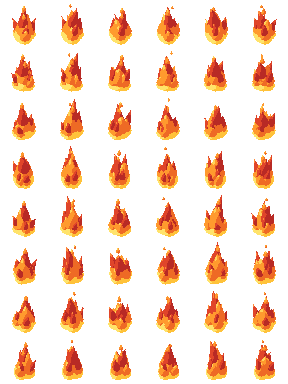
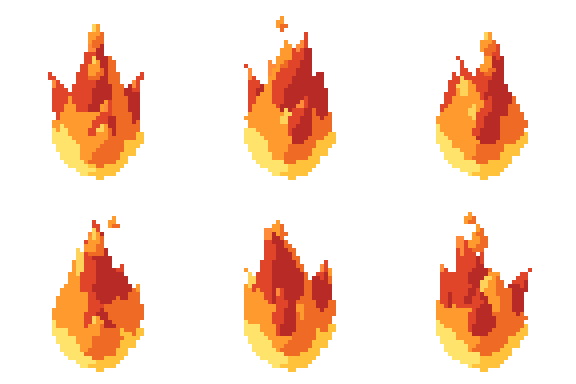
2D pixel art by Pixor, from the 3D model
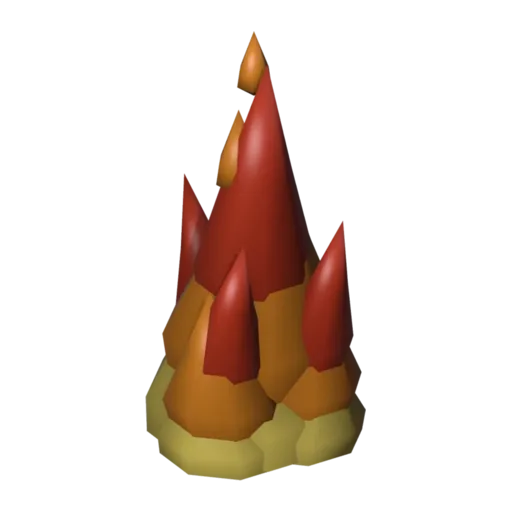
3D the model it was rendered from

GIFs to share
For a devlog, a post or a Discord message. CC0 like the rest: no credit needed.
A free-standing cluster of five flame tongues in three glowing layers, with wisps that rise and fade above them. There is no fuel underneath, so it can sit on logs, torches, roofs or anything else that burns. The Burn clip loops over six frames at 48 pixels.
Each flame piece has its own shape keys, so the tongues flicker out of step instead of moving as one block. Glow materials with colour ramps give each layer its brightness, and the wisps rise and fade as part of the same loop. It is the library’s general-purpose fire.
Use it as a hazard tile in platformers, a burning status effect, a spell impact or a building on fire in a strategy game. Several copies with offset start frames make a larger blaze. Because it is a separate prop, you can place it over any other sprite rather than baking fire into each one.
For magical or cursed fire, change the Fire material to blue or green and render again. Set it on top of a barrel or crate for a destroyed version, or over the small house’s roof for a raid. The explosion is its one-shot counterpart.
Use it in your game
- Godot 4:
godot/fire-loop-selout-48.tresis aSpriteFramesresource with 8 animations (Burn_South, Burn_Southeast … Burn_Southwest): drop it on anAnimatedSprite2Dand playBurn_South. - Aseprite:
aseprite/fire-loop-selout-48.asepritehas a tag for each of those, 48 frames in all, to touch up by hand; its.jsonsits next to it. - Unity, GameMaker and the rest:
sprites/selout/fire-loop-48px-8-sides.pnghas 8 rows of 48×48 px cells, one per action and side, South (front) first. A 4-side sheet and the 32 and 64 px sizes are next to it. - Posts and devlogs: the GIFs above, also in the zip’s
gifs/folder. - 3D: the GLB opens in Blender, Godot, Unity and three.js. The
.blendkeeps its modifiers, named parts and materials.
How this look was made
The sprite above is Pixor’s selective outline look. In Pixor every step of a look is a node you can change: the light bands, the outlines, the palette. This is that look’s Style graph:

- dither
- 0
- fill
- 0
- hysteresis
- 0.05
- min highlight
- 2
- rim
- none
- shadows
- on
- specular
- 0.96

- convex
- none
- crease
- selout1
- crease angle
- 55
- depth jump
- 2.5
- inner
- selout2
- min inner line
- 3
- outer
- selout3
- outer inside
- off
- part lines
- on



The other looks in the player (clean, retro, flat) are other Style graphs. With Pixor you can open this asset, change any node, and render your own.
Related free assets
 Brazier Elements & effects · animated
  Campfire Elements & effects · animated
  Small fire Elements & effects · animated
  Bonfire Elements & effects · animated
  Tiki torch Elements & effects · animated
  Explosion Elements & effects · animated
  Heal aura Elements & effects · animated
  Lava pool Elements & effects · animated