Explosion free 3D model & sprite sheet
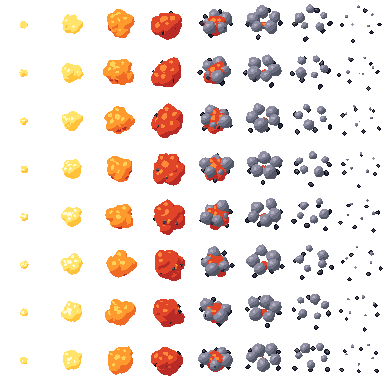
2D pixel art by Pixor, from the 3D model
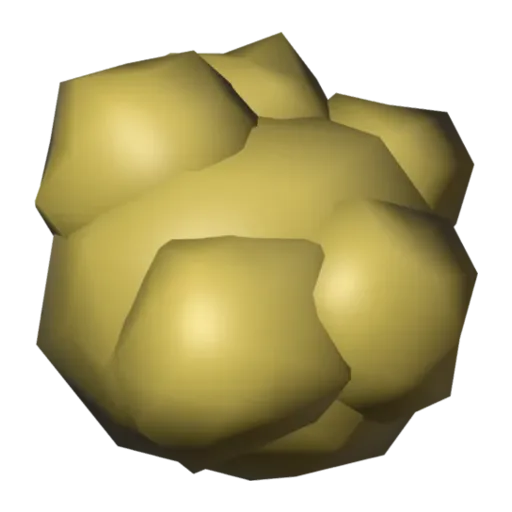
3D the model it was rendered from

GIFs to share
For a devlog, a post or a Discord message. CC0 like the rest: no credit needed.
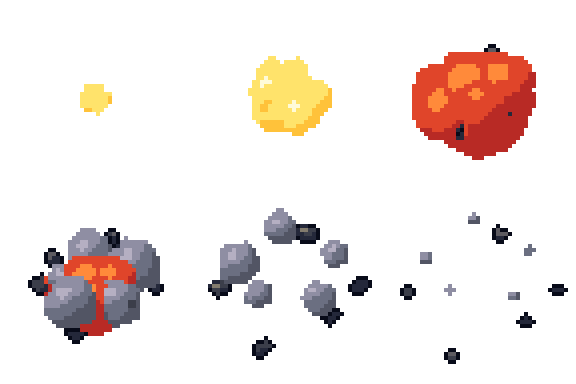
A one-shot burst. Nested fire shells, from a bright core to an outer flame, swell and collapse one after another, smoke puffs billow out and fade, and rock debris flies outward. The Burst clip plays once over eight frames at 48 pixels, centred in its cell.
Each shell and puff is scaled up from almost nothing with keys, and the objects are staggered in time so the burst builds and decays in layers. Glow materials with colour ramps give the fire its heat, and the Smoke and Dark stone materials cover the cloud and debris.
Explosions are feedback: a destroyed enemy, a bomb, a crate breaking, a spell landing. Play the clip once and remove the sprite on the last frame. It is a pickup-class asset, centred in its cell, so it drops neatly onto whatever just blew up.
Scale it up for a big blast or down for a small pop, and change the fire colours for magic or toxic effects. It pairs with the bomb in the pickups, and with the barrel and crate as things to break. The fire loop covers what keeps burning afterwards.
Use it in your game
- Godot 4:
godot/explosion-selout-48.tresis aSpriteFramesresource with 8 animations (Burst_South, Burst_Southeast … Burst_Southwest): drop it on anAnimatedSprite2Dand playBurst_South. - Aseprite:
aseprite/explosion-selout-48.asepritehas a tag for each of those, 64 frames in all, to touch up by hand; its.jsonsits next to it. - Unity, GameMaker and the rest:
sprites/selout/explosion-48px-8-sides.pnghas 8 rows of 48×48 px cells, one per action and side, South (front) first. A 4-side sheet and the 32 and 64 px sizes are next to it. - Posts and devlogs: the GIFs above, also in the zip’s
gifs/folder. - 3D: the GLB opens in Blender, Godot, Unity and three.js. The
.blendkeeps its modifiers, named parts and materials.
How this look was made
The sprite above is Pixor’s selective outline look. In Pixor every step of a look is a node you can change: the light bands, the outlines, the palette. This is that look’s Style graph:

- dither
- 0
- fill
- 0
- hysteresis
- 0.05
- min highlight
- 2
- rim
- none
- shadows
- on
- specular
- 0.96

- convex
- none
- crease
- selout1
- crease angle
- 55
- depth jump
- 2.5
- inner
- selout2
- min inner line
- 3
- outer
- selout3
- outer inside
- off
- part lines
- on



The other looks in the player (clean, retro, flat) are other Style graphs. With Pixor you can open this asset, change any node, and render your own.
Related free assets
 Fire Elements & effects · animated
  Lightning bolt Elements & effects · animated
  Smoke puff Elements & effects · animated
  Water splash Elements & effects · animated
  Bonfire Elements & effects · animated
  Brazier Elements & effects · animated
  Campfire Elements & effects · animated
  Heal aura Elements & effects · animated