Potion free 3D model & sprite sheet
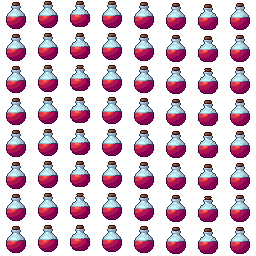
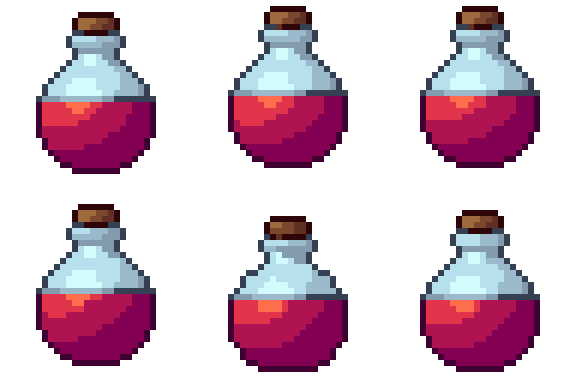
2D pixel art by Pixor, from the 3D model
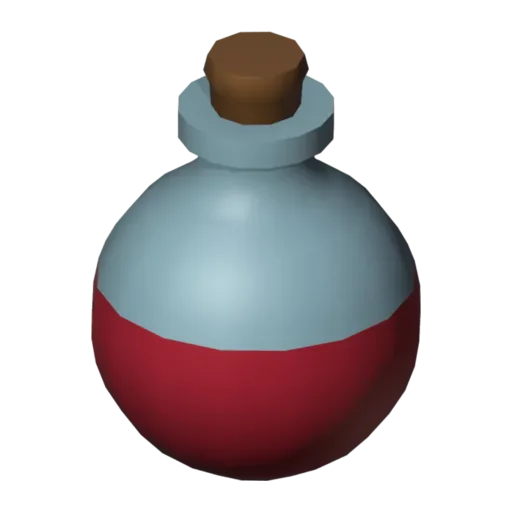
3D the model it was rendered from

GIFs to share
For a devlog, a post or a Discord message. CC0 like the rest: no credit needed.
A round glass flask, two-thirds full of red potion and stoppered with a cork. Through the glass you can see the liquid as its own shape, which keeps the colour strong in the sprite. The sprites show it bobbing gently up and down, the way a pickup floats above the floor waiting to be collected.
The bottle is a lathe: one profile turned around its axis, with the liquid built as a separate part sitting inside the glass. That separation is the useful bit. Swap the liquid’s material to Blue potion or Green potion, or use the blue and green liquids already waiting in the extras, and you have mana and antidote flasks in seconds.
Potions are the standard consumable in RPGs, roguelikes and action games: a healing drop, a shop item, a hotbar slot. Keep them at 32 pixels for pickups and use one still frame as the inventory icon. The bob is added by Pixor at render time, so the Blender file stays a still model.
Line up three colours in a shop scene, or set one on a table near the cauldron, which brews the same kind of thing. The heart makes a good companion when you want both an instant heal and a carried one.
Use it in your game
- Godot 4:
godot/potion-selout-32.tresis aSpriteFramesresource with 8 animations (bob_South, bob_Southeast … bob_Southwest): drop it on anAnimatedSprite2Dand playbob_South. - Aseprite:
aseprite/potion-selout-32.asepritehas a tag for each of those, 64 frames in all, to touch up by hand; its.jsonsits next to it. - Unity, GameMaker and the rest:
sprites/selout/potion-32px-8-sides.pnghas 8 rows of 32×32 px cells, one per action and side, South (front) first. A 4-side sheet and the 48 and 64 px sizes are next to it. - Posts and devlogs: the GIFs above, also in the zip’s
gifs/folder. - 3D: the GLB opens in Blender, Godot, Unity and three.js. The
.blendkeeps its modifiers, named parts and materials.
How this look was made
The sprite above is Pixor’s selective outline look. In Pixor every step of a look is a node you can change: the light bands, the outlines, the palette. This is that look’s Style graph:

- dither
- 0
- fill
- 0
- hysteresis
- 0.05
- min highlight
- 2
- rim
- none
- shadows
- on
- specular
- 0.96

- convex
- none
- crease
- selout1
- crease angle
- 55
- depth jump
- 2.5
- inner
- selout2
- min inner line
- 3
- outer
- selout3
- outer inside
- off
- part lines
- on


The other looks in the player (clean, retro, flat) are other Style graphs. With Pixor you can open this asset, change any node, and render your own.