Well free 3D model & sprite sheet
2D pixel art by Pixor, from the 3D model
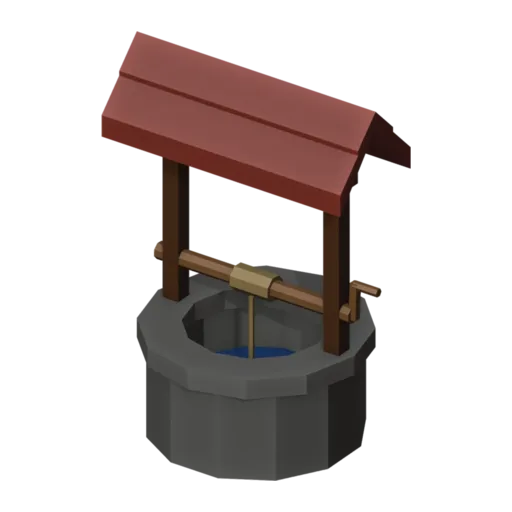
3D the model it was rendered from

GIFs to share
For a devlog, a post or a Discord message. CC0 like the rest: no credit needed.
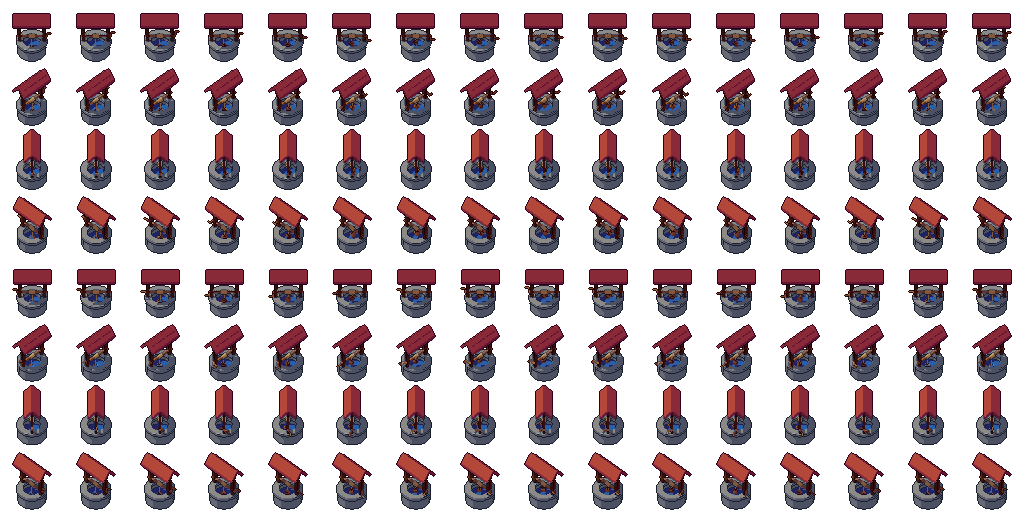
A village well: a stone ring with a wider coping rim, water inside, two posts under a little red tiled roof and a crank. In the Crank loop the handle turns, winding a wooden bucket on its rope up out of the water and lowering it back again. Rendered at 64 pixels from a three-quarter view.
The ring and rim are lathe shapes. The animation is object animation: the crank rotates, the bucket lifts, and the rope is scaled to keep reaching the bucket. The roof is set high and narrow so the crank and bucket stay in view under the front eave even from above.
Wells give villages a centre and give players a place to draw water in farming and survival games. Play the loop when a character uses it, or freeze the first frame for an idle well. In puzzle games a well can hide a secret or a way down.
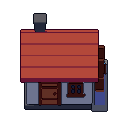
Change the Deep water material for a magic or poisoned well. The roof shares its red tiles with the small house, so the two match. Set it with the fence, barrels and grass tuft for a farmyard, or with the fountain for a richer town.
Use it in your game
- Godot 4:
godot/well-selout-64.tresis aSpriteFramesresource with 8 animations (Crank_South, Crank_Southeast … Crank_Southwest): drop it on anAnimatedSprite2Dand playCrank_South. - Aseprite:
aseprite/well-selout-64.asepritehas a tag for each of those, 128 frames in all, to touch up by hand; its.jsonsits next to it. - Unity, GameMaker and the rest:
sprites/selout/well-64px-8-sides.pnghas 8 rows of 64×64 px cells, one per action and side, South (front) first. A 4-side sheet and the 32 and 48 px sizes are next to it. - Posts and devlogs: the GIFs above, also in the zip’s
gifs/folder. - 3D: the GLB opens in Blender, Godot, Unity and three.js. The
.blendkeeps its modifiers, named parts and materials.
How this look was made
The sprite above is Pixor’s selective outline look. In Pixor every step of a look is a node you can change: the light bands, the outlines, the palette. This is that look’s Style graph:

- dither
- 0
- fill
- 0
- hysteresis
- 0.05
- min highlight
- 2
- rim
- none
- shadows
- on
- specular
- 0.96

- convex
- none
- crease
- selout1
- crease angle
- 55
- depth jump
- 2.5
- inner
- selout2
- min inner line
- 3
- outer
- selout3
- outer inside
- off
- part lines
- on


The other looks in the player (clean, retro, flat) are other Style graphs. With Pixor you can open this asset, change any node, and render your own.