Dialogue portraits: a bust for every expression
An RPG's dialogue box needs the character's face, in a few moods, at a bigger size than the sprite, and in the same colours. Pixor's Dialogue portraits node draws that set from the same 3D model, through the sprite's own Style.

Sample project
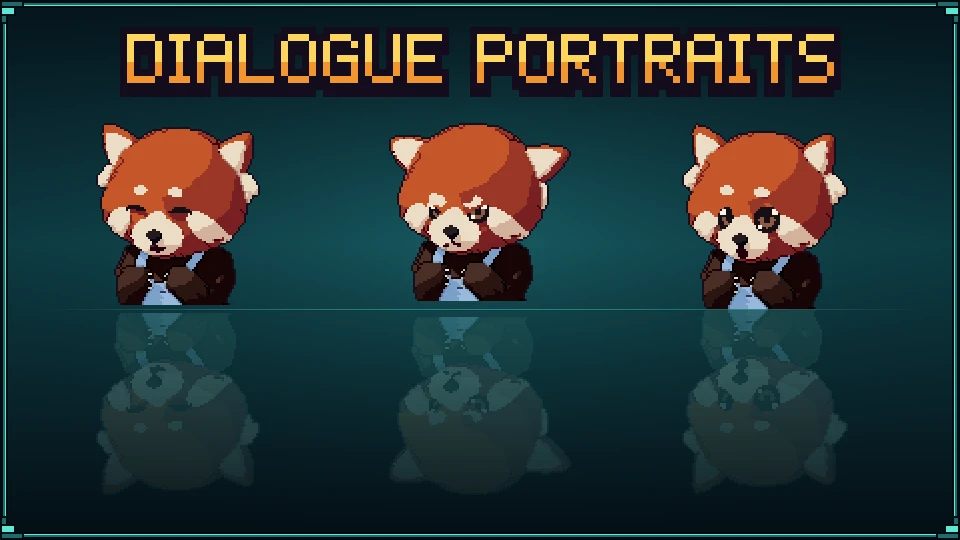
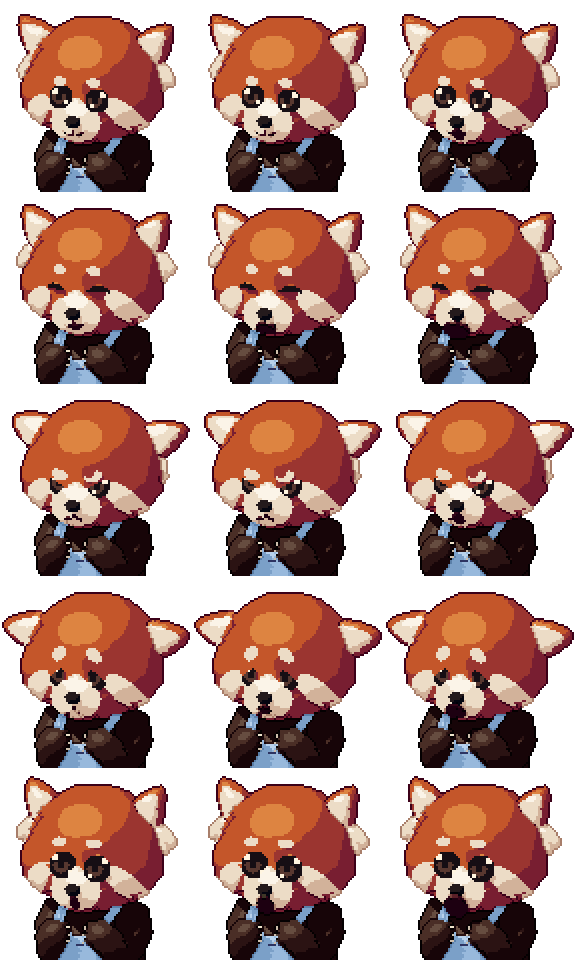
Dialogue portraits: a red panda's bust, neutral, happy, angry, sad and surprised: the .pixor project and its library model (CC0). The sheet on the left is what it renders.
Beginner · about 5 minutes · or watch it in 87 seconds
1. A character
Open a model: the tutorial uses the red panda villager from the free CC0 library. Its face has shape keys for each expression, and its rig is Mixamo’s, resting in a T-pose. Its sprite is drawn as usual in the Style step; the portraits use that same Style.
2. Add Dialogue portraits
In the Asset step, select the Sheet node, type portrait in the Asset graph’s Find box and click File: Dialogue portraits. It is a File node: what it makes is written beside the sheet when you export.
3. Expressions
In the Inspector, Expressions takes a list, one row each. A word on its own is the face’s morph targets of that name (happy, angry, hurt, sad, surprised, blink, or your own); neutral is the face as it stands. A word with a pose is that face in a frame of an action:
neutral:Idle@0,happy:Idle@0,angry:Idle@0,sad:Idle@0,surprised:Idle@0The red panda rests in a T-pose, as Mixamo rigs do; frame 0 of its own Idle clip holds its paws at its chin. A pose can also come from the motion library, fitted to the model’s skeleton: angry:lib:jump@5. Left empty, the expressions are neutral and those of happy, angry and hurt the face has.
4. Turn and talk
Portrait size is 96 px unless told (64x80 for one taller than wide). Turn goes round the face: 20 degrees gives the three-quarter look most dialogue boxes use. Look down is 10 degrees. Talk frames 3 puts the mouth shut, half open and open beside each expression: the red panda’s mouth_open shape key opens it.
5. Export
Export writes red-panda-villager_portraits.png beside the sheet, a row per expression, and red-panda-villager_portraits.json naming every cell. Dialogue portraits are a render of their own: Export makes them.
In a dialogue box
Each row is one portrait at the size you asked for, in the sprite’s colours. Show the row of the line’s mood beside the text; with talk frames, play the JSON’s talk order while the text types out.
From the command line
pxr render red-panda-villager.glb --portraits 96,neutral:Idle@0,happy:Idle@0,angry:Idle@0,sad:Idle@0,surprised:Idle@0,turn=20 -o red-panda.png
pxr render hero.glb --portraits 128,neutral,happy,angry,hurt:hit@2,talk=2 -o hero.png
pxr project set game.pixor --portraits 96,neutral,happy
--no-portraits takes them out of a project. The portraits are the same pixels on every run.
Next
- Lighting variants: the same character at night or by torchlight.
- Colour variants: palette swaps of the same sprite.
Questions
Does the model need face shape keys?
No. An expression is the face's morph targets of its name (happy, angry, sad...), a pose, or both: angry:lib:jump@5 is frame 5 of the library's jump, hurt:hit@2 frame 2 of the model's own hit action. The library's red panda has shape keys for its eyes, brows, mouth and ears (happy, angry, sad, surprised, blink, mouth_open), so the tutorial uses those, each in its Idle clip's pose.
Why are some portraits without a talk loop?
The talk loop opens the mouth by a morph target (mouth_open, jawOpen, aa...) or, with none, by turning a bone with jaw in its name. A model with neither gets no talk frames, and says so; set Talk frames to 0 and the warning goes.
Are the portraits in the same colours as the sprite?
Yes. They are drawn through the sprite's Style and written in the sprite's palette, index for index: the PNG's palette is the sprite's.
Does the face move between expressions?
No. Every cell is framed from the one box around the head at rest, and a pose is moved so the head stays where it was. Only what changes moves, which is what a dialogue box needs when it swaps expressions.
What does the JSON give a game?
The size, each expression with its row and its pose, every cell's name and place (happy, happy_talk1, happy_talk2), how far each cell's mouth is open, the palette, and the order a dialogue box plays the talk loop in: shut, half, open, half.
Read next
- Anticipation and follow-through: give a jump weight
- A run for any creature: the Gait node
- Pixel art death animations: shatter, dissolve and spawn
- An 8-direction sprite sheet of a walking character
- Your first sprite in five minutes
- A sprite in Godot 4, ready to play
- Lighting variants: night, torch, underwater, poison
- A Mixamo character in eight directions
- Pixel-art fire and smoke from a Blender simulation
- Pixel art spell effects, made your own
- A spinning coin
- Sub-pixel animation: a breath smaller than a pixel
- A white outline around the final sprite