Pixel art spell effects, made your own
A spell needs to land on the right frame, at the right hand, in the same row as the attack. Pixor's forty pixel effects are drawn inside a model's own clip, riding a bone, and every particle they are made of can be changed in the Inspector.
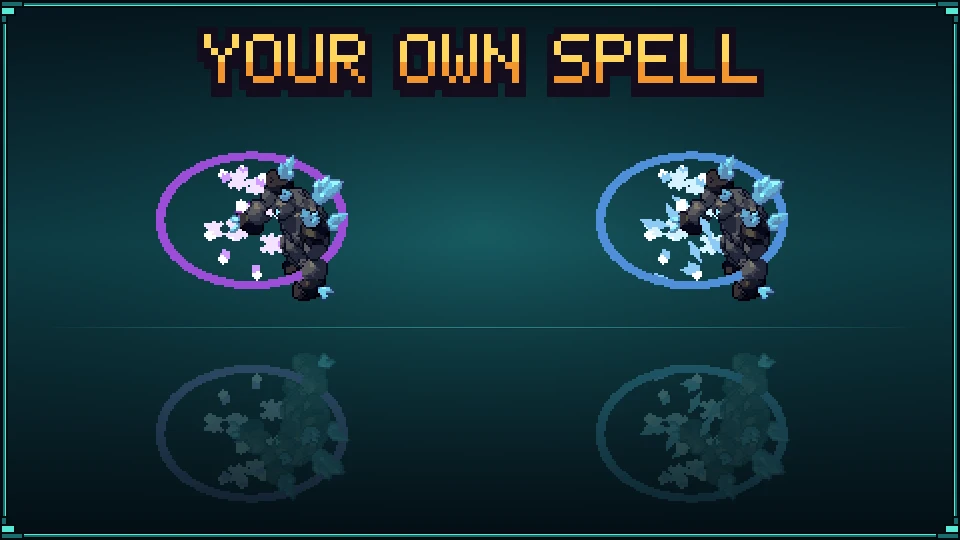

Sample project
Spell effects: a crystal golem's punch with a library sparkle and a magic burst made its own: the .pixor project and its library model (CC0). The sheet on the left is what it renders.
Beginner · about 6 minutes · or watch it in 143 seconds
1. Room for the effect
Open a model with a rig: the tutorial uses the crystal golem from the free CC0 library. In the Scene step click the South camera and set its Turn to 45. Under Size choose Canvas and zoom, a 144 × 112 canvas at a Zoom of 34 pixels per metre. A sheet fitted to the model is cut where the model ends, and an effect is not counted in that fit unless it says so; a fixed canvas leaves room round the golem for the burst. (An effect’s Counts to fit gives the clip it is drawn in bigger cells of their own instead, while the other clips keep theirs.)
2. A library attack
In the Action step choose Add an action › Library clip: attack. The golem raises its fist and punches.
3. Smoother frames
In the Asset step select the Sprites node and set Frames/s to 24: the attack is 19 frames, and the punch lands on frame 12. An effect’s frames count in the clip’s own frames, so a few more of them give the burst room to play.
4. Forty pixel effects
Back in the Scene step, Add › An effect lists forty kinds:
| Use | Kinds |
|---|---|
| Hits and bursts | Explosion, Hit spark, Slash, Magic burst, Smoke puff, Dust, Debris, Blood, Confetti, Coin burst |
| On the ground | Shockwave, Ground slam, Frost nova, Splash, Ripple, Level up, Teleport, Poison cloud, Aura |
| In flight | Fireball, Magic missile, Muzzle flash, Breath, Jet, Lightning |
| Magic and status | Charge up, Heal, Portal, Sparkle, Stun stars, Soul |
| Loops and weather | Fire loop, Embers, Steam, Spark shower, Whirlwind, Rain, Snow, Fireflies, Falling leaves |
Each is drawn from 3D particles through the sprite’s own look, so it takes the same palette, light and lines. Choose Sparkle.
5. On a bone, in the clip, with a Stop frame
In the Inspector set Follows to Hand.R, In clip to lib:attack and Start frame to 2: glints ride the fist as it winds up. Sparkle is a loop, so it would fill the rest of the clip. Tick Stops and set Stop frame to 12: it dies down by the frame the punch lands, its loops fitted before it and no glint born that would outlive them. (Once, on the effect’s node in the Scene graph, would play the loop a single time over its own frames, from nothing to nothing.)
6. A burst on the punch
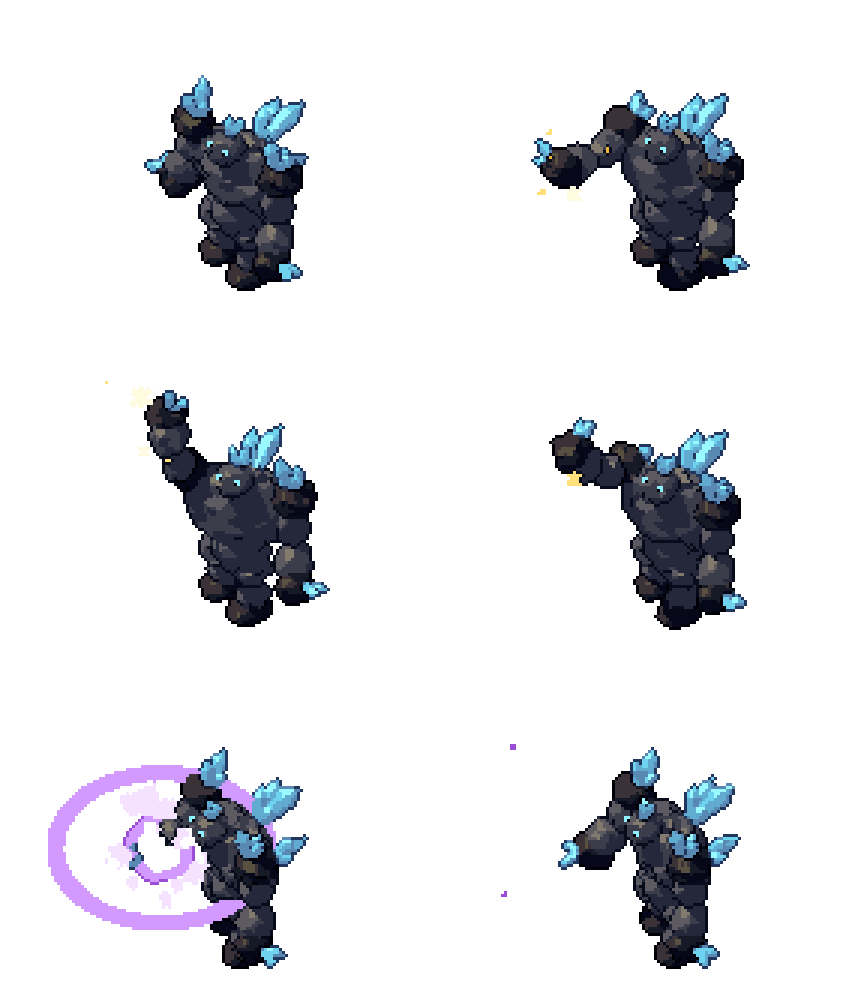
Add another effect, Magic burst. Set its Scale to 2, Frames to 8, Follows to Hand.R, In clip to lib:attack and Start frame to 12. In the Asset step the 2D View plays the attack as the sheet will have it, at 24 frames a second: the glints, then a purple burst where the punch lands. Scale spreads an effect: at 2 the burst covers twice the space with twice the puffs and sparks, each only about 1.4 times bigger, so it stays a spray of small pieces rather than a few big blobs. For more or fewer at the same spread, set Density on the effect’s node in the Scene graph (density=2 on the command line).
7. Make it your own
Select the burst again. Set its Colours to frost, then open Particles. A magic burst is four kinds of particle: a puff, a ring, twinkles and sparks. Change the first:
- Shape: Shard. How many: 12.
- Shortest life 0.7 and Longest life 0.9, so they last to the end of the clip.
- Slowest 1 and Fastest 1.6: thrown out from the fist.
- Gravity -4: they fall. Tumble 2: they turn over as they fly.
- Size at birth 0.08 and Size at end 0.1.
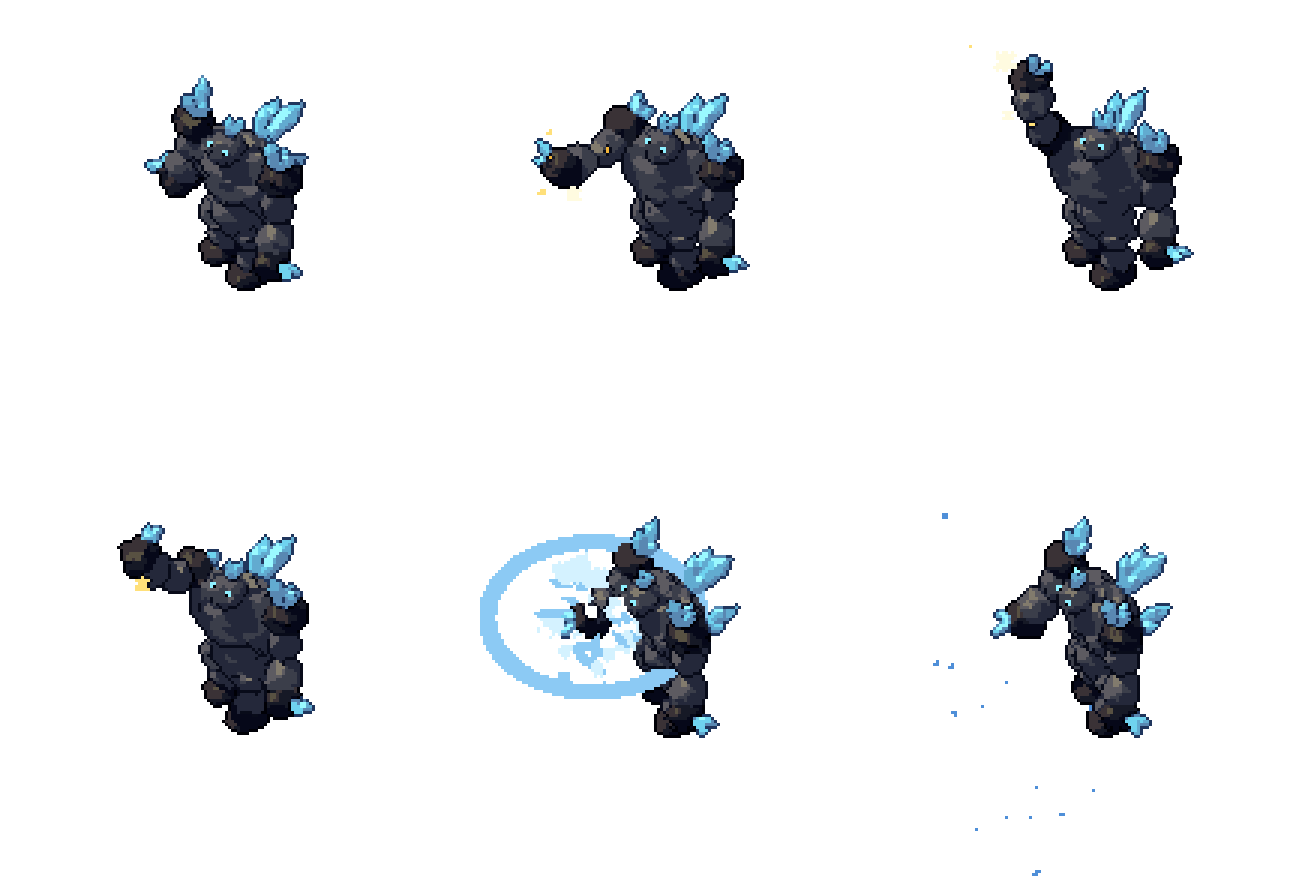
The burst is now a ring of frost with crystal shards that tumble and fall, and it is still drawn in the attack’s own row. Add particles adds another kind of particle, Delete takes one out, and Back to the kind’s puts the library’s burst back. Every setting is in the manual.
8. Export
In the Asset step, Export writes the sheet: the attack with both effects in its frames, beside the golem’s idle.
From the command line
pxr render golem-crystal.glb --preset selout --size 144x112 --pixels-per-metre 34 --sides 315 \
  --clip lib:attack --fps 24 \
  --effect "sparkle@lib:attack:Hand.R+2,stop=12" \
  --effect "magic-burst:8@lib:attack:Hand.R+12,size=2,ramp=frost,1.shape=shard,1.count=12,1.life=0.7,0.9,1.speed=1,1.6,1.gravity=-4,1.tumble=2,1.size=0.08,0.1" \
  --export gif,json -o golem.png
N.KEY=V sets a setting of the effect’s Nth kind of particle; the number one past its last adds a new one. pxr effect magic-burst -o burst.png renders an effect with no model at all.
Next
- A pixel-art explosion sprite sheet: an effect on its own, and what makes an explosion read.
- Death effects: a character that shatters, dissolves or spawns.
Questions
Is the effect a separate sprite sheet?
Not unless you want one. Inside a clip it is drawn over the clip's own frames, in the same row, and the clip keeps its length. Effect only draws it without the model, as its own layer lined up with the character's sheet.
Does the effect follow the hand on every side?
Yes. With Follows it rides the bone as the clip poses it, so it stays at the fist on every side of a ring, however the character turns.
Do I lose the library effect when I change its particles?
No. Changing a setting makes the particles the effect's own copy. Back to the kind's puts the library's back, and Delete takes one kind of particle out.
Will the same settings give the same effect every time?
Yes. The particles come from a seed and move by fixed rules, so the same project gives the same pixels on every export. Change the Seed for a variation.
Read next
- Anticipation and follow-through: give a jump weight
- A run for any creature: the Gait node
- Pixel art death animations: shatter, dissolve and spawn
- Dialogue portraits: a bust for every expression
- An 8-direction sprite sheet of a walking character
- Your first sprite in five minutes
- A sprite in Godot 4, ready to play
- Lighting variants: night, torch, underwater, poison
- A Mixamo character in eight directions
- Pixel-art fire and smoke from a Blender simulation
- A spinning coin
- Sub-pixel animation: a breath smaller than a pixel
- A white outline around the final sprite