Cactus free 3D model & sprite sheet
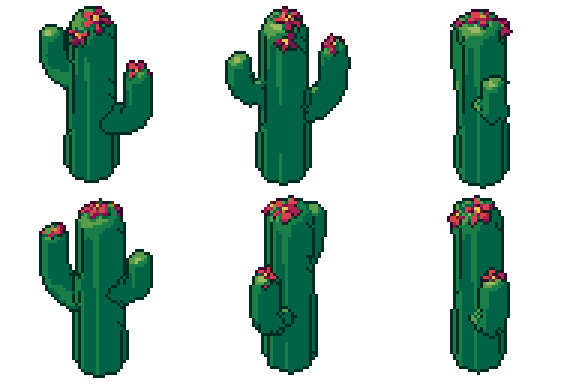
2D pixel art made with Pixor, from the 3D model
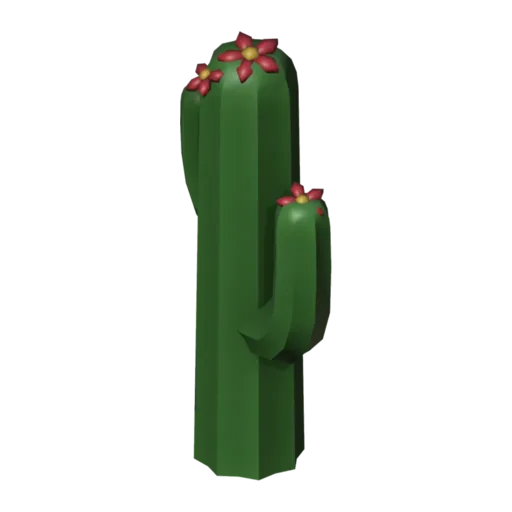
3D the model it was rendered from

A GIF to share
For a devlog, a post or a Discord message. CC0 like the rest: no credit needed.
A free cactus for pixel-art games: a low-poly 3D model (1,186 triangles) with its Blender file, and pixel-art sprite sheets rendered from it with Pixor at 64 px. It is a still model; its sheet shows it from eight sides, so it can face any direction in your game.
Built in Blender with ribbed lathe sections, swept arms with carried ribs and domed tips. Parts and materials are named, so you can recolour it by changing a material’s colour, or edit it before rendering your own sprites.
Good for forests, overworld maps and outdoor levels. It stands on the ground at real-world size, centred, facing the front, so it drops straight into a scene next to the other props.
Use it in your game
- Godot 4:
godot/cactus-selout-64.tresis aSpriteFramesresource with 8 animations (Static_South, Static_Southeast … Static_Southwest): drop it on anAnimatedSprite2Dand playStatic_South. - Aseprite:
aseprite/cactus-selout-64.asepritehas a tag for each of those, 8 frames in all, to touch up by hand; its.jsonsits next to it. - Unity, GameMaker and the rest:
sprites/selout/cactus-64px-8-sides.pnghas 8 rows of 64×64 px cells, one per action and side, South (front) first, 100 ms a frame. A 4-side sheet and the 32 and 48 px sizes are next to it. - Posts and devlogs: the GIFs above, also in the zip’s
gifs/folder. - 3D: the GLB opens in Blender, Godot, Unity and three.js. The
.blendkeeps its modifiers, named parts and materials.
How this look was made
The sprite above is Pixor’s selective outline look. In Pixor every step of a look is a node you can change: the light bands, the outlines, the palette. This is that look’s Style graph:

- dither
- 0
- fill
- 0
- hysteresis
- 0.05
- min highlight
- 2
- rim
- none
- shadows
- on
- specular
- 0.96

- convex
- none
- crease
- selout1
- crease angle
- 55
- depth jump
- 2.5
- inner
- selout2
- min inner line
- 3
- outer
- selout3
- outer inside
- off
- part lines
- on


The other looks in the player (clean, retro, flat) are other Style graphs. These sprites were rendered from the 3D model with Pixor, 3D to pixel art in one app: with Pixor you can open this asset, change any node, and render your own.