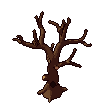
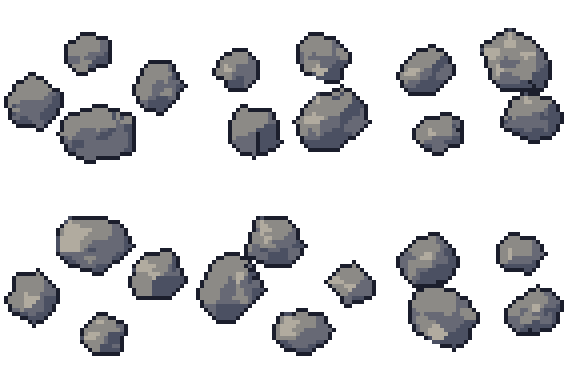
Rock set free 3D model & sprite sheet
2D pixel art by Pixor, from the 3D model
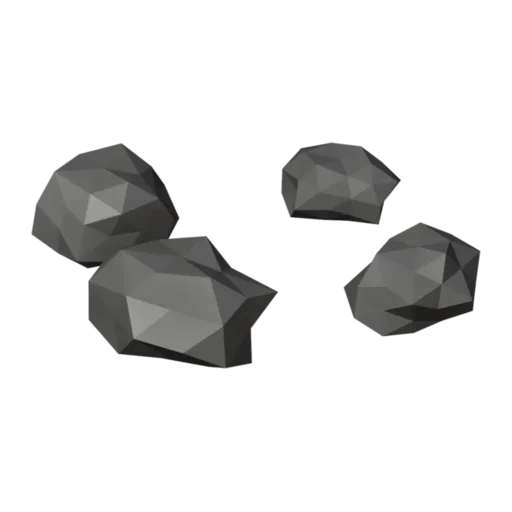
3D the model it was rendered from

A GIF to share
For a devlog, a post or a Discord message. CC0 like the rest: no credit needed.
A scatter of five faceted rocks with flat bottoms, in plain and mossy stone. It is a still prop, rendered at 48 pixels from a three-quarter view. Because the scatter is live in Blender, the same file can give you many different arrangements, not just the one you see here.
The rocks are placed by a Geometry Nodes modifier. Change its Count, Radius or Seed and a new pile appears, each rock keeping a flat base so it sits on the ground. That makes the file a small rock generator: render several seeds and you have a varied set of sprites from one model.
Rocks fill gaps in almost every genre: path edges, riverbanks, mine floors, and obstacles that block movement in top-down games. A low count makes a few pebbles for decoration; a high count with a wider radius makes a rubble pile or a blocking boulder field.
Swap the Stone material for sandstone or dark basalt to match a desert or volcanic level. Scatter the results around the pine tree and waterfall, or beside the campfire, which uses the same kind of seeded rocks in its ring.
Use it in your game
- Godot 4:
godot/rock-set-selout-48.tresis aSpriteFramesresource with 8 animations (Static_South, Static_Southeast … Static_Southwest): drop it on anAnimatedSprite2Dand playStatic_South. - Aseprite:
aseprite/rock-set-selout-48.asepritehas a tag for each of those, 8 frames in all, to touch up by hand; its.jsonsits next to it. - Unity, GameMaker and the rest:
sprites/selout/rock-set-48px-8-sides.pnghas 8 rows of 48×48 px cells, one per action and side, South (front) first, 100 ms a frame. A 4-side sheet and the 32 and 64 px sizes are next to it. - Posts and devlogs: the GIFs above, also in the zip’s
gifs/folder. - 3D: the GLB opens in Blender, Godot, Unity and three.js. The
.blendkeeps its modifiers, named parts and materials.
How this look was made
The sprite above is Pixor’s selective outline look. In Pixor every step of a look is a node you can change: the light bands, the outlines, the palette. This is that look’s Style graph:

- dither
- 0
- fill
- 0
- hysteresis
- 0.05
- min highlight
- 2
- rim
- none
- shadows
- on
- specular
- 0.96

- convex
- none
- crease
- selout1
- crease angle
- 55
- depth jump
- 2.5
- inner
- selout2
- min inner line
- 3
- outer
- selout3
- outer inside
- off
- part lines
- on


The other looks in the player (clean, retro, flat) are other Style graphs. With Pixor you can open this asset, change any node, and render your own.